EE WiFi Extender lights: what each colour means
26 light states of the EE WiFi Extender, from EE’s own page Fix a problem with WiFi Extender (WiFi Extender lights). It has one light on the front; the colours differ by model. EE calls its Wi-Fi boosters WiFi Extenders and documents four on one help page: the WiFi Extender 7 Pro, WiFi Extender 6 Plus, EE Smart WiFi (2023) and EE Smart WiFi Disc. The same colour does not mean the same thing on all four (a flashing red is “not connected” on the Smart WiFi and the Disc, while the 7 Pro and 6 Plus show flashing orange for that), so each light below names its model. While you set one up, EE says the light flashes red until you pair it by pressing WPS on the hub and then on the extender within 2 minutes (it can take up to 5 minutes to connect); after a wired set-up a brief orange flash before it settles back to aqua is fine. A steady aqua light means it is working (EE gives blue or aqua for the 6 Plus, and blue for the Smart WiFi and the Disc).
EE: the name is printed on a sticker on the back of the hub.
Green (7 Pro)
The WiFi Extender 7 Pro is starting up. It takes roughly a minute to fully turn on.
EE’s page gives no step for this light.
Source: Fix a problem with WiFi Extender (WiFi Extender lights) (EE), checked 2026-10-14.
Aqua (7 Pro)
The WiFi Extender 7 Pro is all connected: good WiFi or an ethernet connection.
EE’s page gives no step for this light.
Source: Fix a problem with WiFi Extender (WiFi Extender lights) (EE), checked 2026-10-14.
Orange (7 Pro)
The WiFi Extender 7 Pro is working okay, but it could do better where it is.
What EE says to do
- Try moving it closer to the hub or to one of your other WiFi Extender 7 Pro devices.
Source: Fix a problem with WiFi Extender (WiFi Extender lights) (EE), checked 2026-10-14.
Red (7 Pro)
There’s a problem.
What EE says to do
- Turn your Smart Hub and the WiFi Extender 7 Pro off and on again.
- If the light still doesn’t turn aqua, press the WiFi Extender 7 Pro’s factory reset button with a paper clip or pen.
Source: Fix a problem with WiFi Extender (WiFi Extender lights) (EE), checked 2026-10-14.
Flashing orange (7 Pro)
The WiFi Extender 7 Pro is not connected to your Smart Hub.
What EE says to do
- Connect it using WPS or an ethernet cable.
Source: Fix a problem with WiFi Extender (WiFi Extender lights) (EE), checked 2026-10-14.
Flashing blue (7 Pro)
The WiFi Extender 7 Pro is connecting: WPS is on and connecting to your hub or device. This could take a couple of minutes.
EE’s page gives no step for this light.
Source: Fix a problem with WiFi Extender (WiFi Extender lights) (EE), checked 2026-10-14.
Green (6 Plus)
The WiFi Extender 6 Plus is starting up. It takes roughly a minute to fully turn on.
EE’s page gives no step for this light.
Source: Fix a problem with WiFi Extender (WiFi Extender lights) (EE), checked 2026-10-14.
Blue or aqua (6 Plus)
The WiFi Extender 6 Plus is all connected: good WiFi or an ethernet connection.
EE’s page gives no step for this light.
Source: Fix a problem with WiFi Extender (WiFi Extender lights) (EE), checked 2026-10-14.
Orange (6 Plus)
The WiFi Extender 6 Plus is working okay, but it could do better where it is.
What EE says to do
- Try moving it closer to the hub or to one of your other WiFi Extender 6 Plus devices.
Source: Fix a problem with WiFi Extender (WiFi Extender lights) (EE), checked 2026-10-14.
Red (6 Plus)
There’s a problem.
What EE says to do
- Turn your Smart Hub and the WiFi Extender 6 Plus off and on again.
- If the light still doesn’t turn aqua, press the WiFi Extender 6 Plus’s factory reset button with a paper clip or pen.
Source: Fix a problem with WiFi Extender (WiFi Extender lights) (EE), checked 2026-10-14.
Flashing orange (6 Plus)
The WiFi Extender 6 Plus is not connected to your Smart Hub.
What EE says to do
- Connect it using WPS or an ethernet cable.
Source: Fix a problem with WiFi Extender (WiFi Extender lights) (EE), checked 2026-10-14.
Flashing blue (6 Plus)
The WiFi Extender 6 Plus is connecting: WPS is on and connecting to your hub or device. This could take a couple of minutes.
EE’s page gives no step for this light.
Source: Fix a problem with WiFi Extender (WiFi Extender lights) (EE), checked 2026-10-14.
Purple (Smart WiFi 2023)
The Smart WiFi is starting up. It takes roughly a minute to fully turn on.
EE’s page gives no step for this light.
Source: Fix a problem with WiFi Extender (WiFi Extender lights) (EE), checked 2026-10-14.
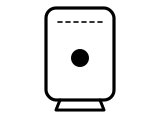
Blue (Smart WiFi 2023)
The Smart WiFi is all connected: good WiFi or an ethernet connection.
EE’s page gives no step for this light.
Source: Fix a problem with WiFi Extender (WiFi Extender lights) (EE), checked 2026-10-14.
Orange (Smart WiFi 2023)
The Smart WiFi is working okay, but it could do better where it is.
What EE says to do
- Try moving it closer to the hub or to one of your other Smart WiFi devices.
Source: Fix a problem with WiFi Extender (WiFi Extender lights) (EE), checked 2026-10-14.
Red (Smart WiFi 2023)
There’s a problem.
What EE says to do
- Turn your Smart Hub and the Smart WiFi off and on again.
- If the light still doesn’t turn blue, press the Smart WiFi’s factory reset button with a paper clip or pen.
Source: Fix a problem with WiFi Extender (WiFi Extender lights) (EE), checked 2026-10-14.
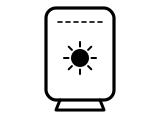
Flashing red (Smart WiFi 2023)
The Smart WiFi is not connected to your Smart Hub.
What EE says to do
- Connect it using WPS or an ethernet cable.
Source: Fix a problem with WiFi Extender (WiFi Extender lights) (EE), checked 2026-10-14.
Flashing blue (Smart WiFi 2023)
The Smart WiFi is connecting: WPS is on and connecting to your hub or device. This could take a couple of minutes.
EE’s page gives no step for this light.
Source: Fix a problem with WiFi Extender (WiFi Extender lights) (EE), checked 2026-10-14.
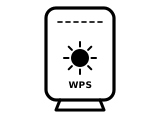
WPS flashing blue (Smart WiFi 2023)
It’s waiting for you to press the WPS button on your computer or device.
EE’s page gives no step for this light.
Source: Fix a problem with WiFi Extender (WiFi Extender lights) (EE), checked 2026-10-14.
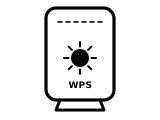
WPS flashing red (Smart WiFi 2023)
The WPS connection didn’t work.
What EE says to do
- Give it a couple of minutes and try again.
Source: Fix a problem with WiFi Extender (WiFi Extender lights) (EE), checked 2026-10-14.
Purple (Disc)
The disc is starting up. It takes about 60 seconds to fully turn on.
EE’s page gives no step for this light.
Source: Fix a problem with WiFi Extender (WiFi Extender lights) (EE), checked 2026-10-14.
Blue (Disc)
The disc is all connected: good WiFi or an ethernet connection.
EE’s page gives no step for this light.
Source: Fix a problem with WiFi Extender (WiFi Extender lights) (EE), checked 2026-10-14.
Yellow (Disc)
The disc is working, but its connection could be improved.
What EE says to do
- Try moving the disc closer to your router or to one of your other discs.
Source: Fix a problem with WiFi Extender (WiFi Extender lights) (EE), checked 2026-10-14.
Red (Disc)
There’s a problem.
What EE says to do
- Turn your Smart Hub and the disc off and on again.
- If the light still doesn’t turn blue, press the disc’s factory reset button with a paper clip or pen.
Source: Fix a problem with WiFi Extender (WiFi Extender lights) (EE), checked 2026-10-14.
Flashing red (Disc)
The disc is not connected to your router.
What EE says to do
- Connect it using WPS or an ethernet cable, following EE’s instructions.
Source: Fix a problem with WiFi Extender (WiFi Extender lights) (EE), checked 2026-10-14.
Flashing blue (Disc)
The disc is connecting: WPS has been turned on and it is connecting to your router or your device. This could take a couple of minutes.
EE’s page gives no step for this light.
Source: Fix a problem with WiFi Extender (WiFi Extender lights) (EE), checked 2026-10-14.
Other EE hubs
The same colour can mean something else on another EE hub, so check the name on your hub’s label.
Sources
EE’s own pages only, read on the date shown. Nothing here comes from third-party router-light sites.
- EE: Fix a problem with WiFi Extender (WiFi Extender lights) — EE WiFi Extender 7 Pro, WiFi Extender 6 Plus, EE Smart WiFi (2023) and EE Smart WiFi Disc (a tab each). ee.co.uk Checked 2026-10-14.
- EE: Setting up WiFi Extenders — EE WiFi Extenders: the lights while you set one up. ee.co.uk Checked 2026-10-14.
Find a light by colour on any provider’s hub or maker’s router →