BT Whole Home Wi-Fi disc lights: what each colour means
10 light states of the BT Whole Home Wi-Fi disc, from BT’s own page BT Whole Home Wi-Fi FAQs - Set-up and installation (What do the LED colours mean?). It has one light (LED) on each disc. Whole Home Wi-Fi is BT’s mesh kit that you plug into any hub or router with an Ethernet port; it is not BT’s Complete Wi-Fi Disc, whose flashing blue and flashing red mean different things. BT sold four Whole Home families (Whole Home Wi-Fi, Mini, Premium and Wi-Fi 6) and says their discs don’t work with each other; one colour table covers them all, with two lights that only some families have.
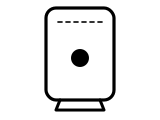
Solid blue
Good Wi-Fi or Ethernet cable connection.
What BT says to do
- No action needed.
Source: BT Whole Home Wi-Fi FAQs - Set-up and installation (What do the LED colours mean?) (BT), checked 2026-10-13.
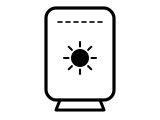
Blue flashing fast, every half second
The disc is connecting to your Whole Home Wi-Fi network.
What BT says to do
- No action needed: BT says the disc will connect in about 15 seconds.
Source: BT Whole Home Wi-Fi FAQs - Set-up and installation (What do the LED colours mean?) (BT), checked 2026-10-13.
Blue flashing slowly, every two seconds
WPS mode: the disc is waiting for a device to connect with WPS.
What BT says to do
- Within two minutes of pressing the disc’s WPS Wi-Fi Setup button, press the WPS button on the device you want to connect.
Source: BT Whole Home Wi-Fi FAQs - Set-up and installation (What do the LED colours mean?) (BT), checked 2026-10-13.
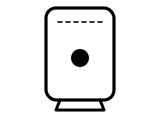
Orange
The disc’s Wi-Fi connection is not as good as it could be. Appliances and other Wi-Fi devices can affect it, so an occasional orange is nothing to worry about: your network keeps working.
What BT says to do
- If it is always orange, find the disc a new place: in the Whole Home Wi-Fi app, select the orange disc, then Disc Details, then Relocate Disc, and follow the app.
- BT’s colour table adds: ideally move the disc closer to the one disc plugged into your hub; if you can’t, the disc will still work.
Source: BT Whole Home Wi-Fi FAQs - Troubleshooting (BT), checked 2026-10-13.
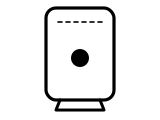
Red
No connection.
What BT says to do
- First check the Ethernet cable from your hub (router).
- Try moving the disc closer to the disc that is plugged into your hub.
- Restart your Whole Home Wi-Fi, from the app’s Settings menu or by turning each disc off and on.
Source: BT Whole Home Wi-Fi FAQs - Set-up and installation (What do the LED colours mean?) (BT), checked 2026-10-13.
Stays red while adding a new disc
You are installing an add-on disc, its light stays red and the new disc doesn’t appear in the app.
What BT says to do
- Plug the add-on disc into your hub (router) with the Ethernet cable supplied, switch it on and wait for its light to turn solid blue.
- With a pin or paper clip, press the factory reset button on the back of the disc for about one second.
- Wait for the light to go purple, then flashing blue, then solid blue for at least 15 seconds.
- Turn that disc off and follow the set-up steps in the app.
Source: BT Whole Home Wi-Fi FAQs - Troubleshooting (BT), checked 2026-10-13.
Purple
The disc is starting up.
What BT says to do
- No action needed: it takes about 60 seconds to turn on fully, then the light flashes blue for a few seconds while it connects and turns solid blue.
Source: BT Whole Home Wi-Fi FAQs - Set-up and installation (What do the LED colours mean?) (BT), checked 2026-10-13.
Flashing purple
The disc’s firmware is being upgraded.
What BT says to do
- Don’t turn your discs off while the light is flashing purple. It turns solid purple, then solid blue, when the upgrade is done.
Source: BT Whole Home Wi-Fi FAQs - Set-up and installation (What do the LED colours mean?) (BT), checked 2026-10-13.
Flashing green (Mini Whole Home Wi-Fi only)
A new disc is syncing.
What BT says to do
- Wait: BT says the light should turn blue after about a minute.
Source: BT Whole Home Wi-Fi FAQs - Set-up and installation (What do the LED colours mean?) (BT), checked 2026-10-13.
Flashing red and blue in turn (Whole Home Wi-Fi 6 and Premium only)
The disc is connected but can’t communicate with the primary disc (the one plugged into your router).
What BT says to do
- Restart the disc, the primary disc and the router.
- If it keeps happening, contact BT’s Whole Home Wi-Fi helpdesk.
Source: BT Whole Home Wi-Fi FAQs - Set-up and installation (What do the LED colours mean?) (BT), checked 2026-10-13.
Other BT hubs
The same colour can mean something else on another BT hub, so check the name on your hub’s label.
Sources
BT’s own pages only, read on the date shown. Nothing here comes from third-party router-light sites.
- BT: BT Whole Home Wi-Fi FAQs - Set-up and installation (What do the LED colours mean?) — BT Whole Home Wi-Fi, Mini Whole Home Wi-Fi, Premium Whole Home Wi-Fi and Whole Home Wi-Fi 6 discs (one colour table). www.bt.com Checked 2026-10-13.
- BT: BT Whole Home Wi-Fi FAQs - Troubleshooting — BT Whole Home Wi-Fi discs: the orange light, and a disc that stays red while being added. www.bt.com Checked 2026-10-13.
Find a light by colour on any provider’s hub or maker’s router →