BT Hybrid Connect lights: what each colour means
14 light states of the BT Hybrid Connect, from BT’s own page Set up and use Hybrid Connect (What the Hybrid Connect’s lights mean). It has a main light in the centre and 4G signal bars. Hybrid Connect is BT’s 4G backup box: it works with a Smart Hub 2, uses EE’s 4G network to keep you online if your broadband goes down, and BT includes it with Halo 3+. BT says a good spot shows blue on both the main light and the signal bars. While it is carrying your connection, Digital Voice (BT’s home phone over broadband) does not work and some subscription TV channels won’t either.
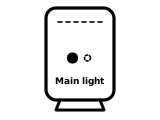
Main light blue
Hybrid Connect is connected (paired) to your hub. Blue on both the main light and the signal bars is what BT says a working set-up looks like.
BT’s page gives no step for this light.
Source: Set up and use Hybrid Connect (What the Hybrid Connect’s lights mean) (BT), checked 2026-10-14.
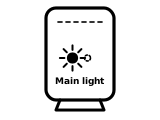
Main light flashing blue
Hybrid Connect is connecting to (pairing with) your hub.
BT’s page gives no step for this light.
Source: Set up and use Hybrid Connect (What the Hybrid Connect’s lights mean) (BT), checked 2026-10-14.
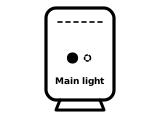
Main light green
Hybrid Connect is starting up. BT’s guide says the light turns green a few seconds after you press the power button.
BT’s page gives no step for this light.
Source: Set up and use Hybrid Connect (What the Hybrid Connect’s lights mean) (BT), checked 2026-10-14.
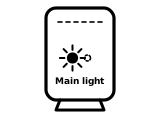
Main light flashing green
Hybrid Connect isn’t paired with your hub.
What BT says to do
- Make sure your Smart Hub is on and connected to your Hybrid Connect (BT’s guide: by the Ethernet cable with yellow ends, into a yellow port on the hub).
Source: Set up and use Hybrid Connect (What the Hybrid Connect’s lights mean) (BT), checked 2026-10-14.
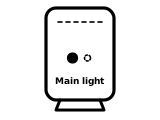
Main light orange
Hybrid Connect is too far from your hub.
What BT says to do
- Move it closer to the hub. BT recommends always using the Ethernet cable for the most reliable connection.
Source: Set up and use Hybrid Connect (What the Hybrid Connect’s lights mean) (BT), checked 2026-10-14.
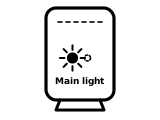
Main light flashing red
Hybrid Connect can’t connect to your hub.
What BT says to do
- Try connecting it with an Ethernet cable, or move it closer to the hub.
Source: Set up your Hybrid Connect device (user guide, PDF) (BT), checked 2026-10-14.
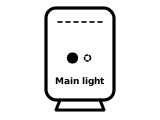
Main light red
There’s a problem.
What BT says to do
- Restart your Hybrid Connect.
- If it’s still red, contact BT.
Source: Set up and use Hybrid Connect (What the Hybrid Connect’s lights mean) (BT), checked 2026-10-14.
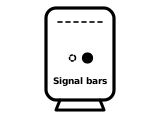
Signal bars all blue
Hybrid Connect has a strong 4G signal. BT’s guide says two or three bars are good.
BT’s page gives no step for this light.
Source: Set up and use Hybrid Connect (What the Hybrid Connect’s lights mean) (BT), checked 2026-10-14.
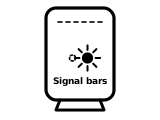
Signal bars flashing blue
Hybrid Connect is connecting to 4G.
BT’s page gives no step for this light.
Source: Set up and use Hybrid Connect (What the Hybrid Connect’s lights mean) (BT), checked 2026-10-14.
Signal bars partly blue
Hybrid Connect has a 4G signal, but it could be improved.
What BT says to do
- Move it near a window, away from other electronics, off the floor and somewhere well ventilated; BT says it works best close to your hub.
Source: Set up and use Hybrid Connect (What the Hybrid Connect’s lights mean) (BT), checked 2026-10-14.
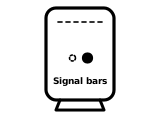
Signal bars all white
Hybrid Connect is using mobile data: your broadband is not working, and BT says your Smart Hub’s light turns purple at the same time.
What BT says to do
- If your BT Broadband is new, this can simply mean your service isn’t live yet.
- If your service is already live, check the Smart Hub is plugged into your broadband line, then troubleshoot the broadband connection.
Source: Set up and use Hybrid Connect (What the Hybrid Connect’s lights mean) (BT), checked 2026-10-14.
Signal bars partly white
Hybrid Connect is using mobile data, and you may be able to improve its signal.
What BT says to do
- Move it near a window, away from other electronics, off the floor and somewhere well ventilated; BT says it works best close to your hub.
Source: Set up your Hybrid Connect device (user guide, PDF) (BT), checked 2026-10-14.
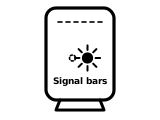
Signal bars flashing red
Hybrid Connect can’t connect to 4G.
What BT says to do
- Move it near a window, away from other electronics, off the floor and somewhere well ventilated; BT says it works best close to your hub.
Source: Set up your Hybrid Connect device (user guide, PDF) (BT), checked 2026-10-14.
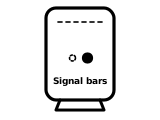
Signal bars red
There’s a problem.
What BT says to do
- Restart your Hybrid Connect.
- If it’s still red, contact BT.
Source: Set up and use Hybrid Connect (What the Hybrid Connect’s lights mean) (BT), checked 2026-10-14.
Other BT hubs
The same colour can mean something else on another BT hub, so check the name on your hub’s label.
Sources
BT’s own pages only, read on the date shown. Nothing here comes from third-party router-light sites.
- BT: Set up and use Hybrid Connect (What the Hybrid Connect’s lights mean) — BT Hybrid Connect: main light and signal light. www.bt.com Checked 2026-10-14.
- BT: Set up your Hybrid Connect device (user guide, PDF) — BT Hybrid Connect: central light and 4G signal bars, including partially white bars. www.bt.com Checked 2026-10-14.
Find a light by colour on any provider’s hub or maker’s router →