BT Business Smart Hub 3 lights: what each colour means
10 light states of the BT Business Smart Hub 3, from BT’s own page Smart Hub 2 and 3 Lights Guide. It has one status light, plus a light in the WPS button. This is the hub BT Business supplies, documented on BT Business’s own help pages. Where the home Smart Hub 3 shows blue for connected, BT Business describes its hub’s connected light as indigo, and adds solid yellow for bridge mode. BT Business says a newly plugged-in hub takes about four minutes to synchronise.
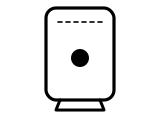
Solid green
Your hub is starting up.
What BT says to do
- Leave it: it should take about 60 seconds to turn on fully before it tries to connect.
Source: Smart Hub 2 and 3 Lights Guide (BT Business), checked 2026-10-13.
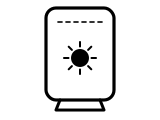
Flashing orange
Your hub is connecting to broadband.
What BT says to do
- Give it at least three minutes to connect; the light turns indigo when the hub is ready.
- If it doesn’t turn indigo, check the broadband cable and the filter (if you use one) are plugged in correctly.
Source: Smart Hub 2 and 3 Lights Guide (BT Business), checked 2026-10-13.
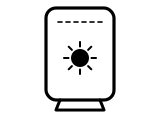
Flashing indigo
BT Business’s page gives two descriptions: your hub is working but the broadband cable isn’t connected; and your hub has connected to broadband and is now connecting to the internet.
What BT says to do
- Give it at least three minutes to connect; the light turns solid indigo when the hub is ready.
Source: Smart Hub 2 and 3 Lights Guide (BT Business), checked 2026-10-13.
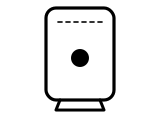
Solid indigo
Your hub is working and is connected to the internet.
What BT says to do
- If you can’t get online, it might be your device: switch it off and on.
Source: Smart Hub 2 and 3 Lights Guide (BT Business), checked 2026-10-13.
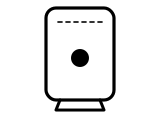
Solid white
Your hub is connected to 4G using Hybrid Connect: your broadband is down, but you can carry on using the internet.
BT’s page gives no step for this light.
Source: Smart Hub 2 and 3 Lights Guide (BT Business), checked 2026-10-13.
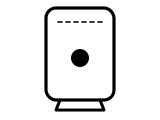
Solid orange
Your hub is working but isn’t connected to the internet.
What BT says to do
- Check all your cables are connected.
- Connect a device, open a new web browser window and follow the help wizard to get connected.
Source: Smart Hub 2 and 3 Lights Guide (BT Business), checked 2026-10-13.
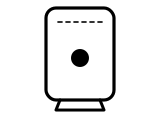
Solid red
There’s a problem somewhere.
What BT says to do
- Turn the hub off and on again.
- If the light still doesn’t turn solid indigo, press the hub’s factory reset button with a paper clip.
Source: Smart Hub 2 and 3 Lights Guide (BT Business), checked 2026-10-13.
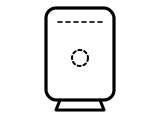
No light
The power is off or the lights have been turned off.
What BT says to do
- Check the hub is plugged in and switched on, and that its lights haven’t been turned off in the Hub Manager.
Source: Smart Hub 2 and 3 Lights Guide (BT Business), checked 2026-10-13.
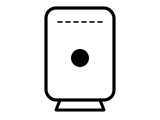
Solid yellow
The hub is in bridge mode: it is passing broadband to your own (third-party) gateway.
BT’s page gives no step for this light.
Source: Smart Hub 2 and 3 Lights Guide (BT Business), checked 2026-10-13.
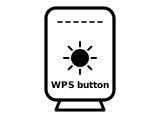
Flashing blue after pressing WPS
You pressed the WPS button: the hub is waiting for you to press the WPS button on your computer or device.
What BT says to do
- Press WPS on the device you are connecting.
Source: Smart Hub 2 and 3 Lights Guide (BT Business), checked 2026-10-13.
Other BT hubs
The same colour can mean something else on another BT hub, so check the name on your hub’s label.
Sources
BT’s own pages only, read on the date shown. Nothing here comes from third-party router-light sites.
- BT Business: Smart Hub 2 and 3 Lights Guide — BT Business Smart Hub 2 and Business Smart Hub 3 (a section each). business.bt.com Checked 2026-10-13.
Find a light by colour on any provider’s hub or maker’s router →