ILIFE robot vacuum: what each light, error and message means
An ILIFE V2 or V10 tells you about a fault by beeping: the manual’s error code sheet gives each error a number (01, 02, 03 and, on the V10, 04) with its pattern of short tones, and ILIFE’s own help says to count the beeps and look the error up in the manual. The power indicator on the AUTO button adds colour: green with 15% battery or more, orange at 15% or less, red for a failure or abnormality.
The V2 and V10 manuals print their error tables differently: the V10 folds wheels, side brushes, fan, bumper, cliff sensor and a stuck robot into its first rows and adds 04 for the roller brush or gyro. Numbers 01 to 03 here are from the V2 sheet; 04 is the V10’s. ILIFE’s newer robots with voice alerts (for example the A12 Pro) speak the problem instead and flash the indicator red.
The error numbers below are ILIFE’s; on another maker’s robot the same number means something else.
Green power light
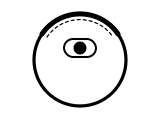
Battery charge is 15% or more.
Applies to: ILIFE V2 and V10 (power indicator on the AUTO button). What you notice: green light, pattern not stated by the maker.
What to do
ILIFE gives no step for this; the meaning above is all it says.
Source:
- ILIFE: ILIFE-V2 User Manual — ILIFE V2 robotic vacuum cleaner. my.iliferobot.com Checked 2026-09-29.
- ILIFE: ILIFE-V10 User Manual — ILIFE V10 robotic vacuum cleaner. www.iliferobot.com Checked 2026-09-29.
Orange power light
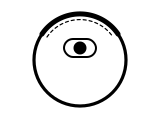
Battery charge is 15% or less.
Applies to: ILIFE V2 and V10 (power indicator on the AUTO button). What you notice: orange light, pattern not stated by the maker.
What to do
ILIFE gives no step for this; the meaning above is all it says.
Source:
- ILIFE: ILIFE-V2 User Manual — ILIFE V2 robotic vacuum cleaner. my.iliferobot.com Checked 2026-09-29.
- ILIFE: ILIFE-V10 User Manual — ILIFE V10 robotic vacuum cleaner. www.iliferobot.com Checked 2026-09-29.
Red power light
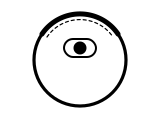
Failure or abnormality. The robot also beeps: count the beeps and find the number on the error code sheet.
Applies to: ILIFE V2 and V10 (power indicator on the AUTO button). What you notice: red light, pattern not stated by the maker.
What ILIFE says to do
- Count the number of beeps and look up the error in the manual, or contact ILIFE support.
- If that does not solve it, press and hold the AUTO button for 8 seconds to turn the robot off, then hold it for 3 seconds to turn it on.
- If restarting does not solve the problem, send the robot to ILIFE’s after-sales repair center.
Source:
- ILIFE: ILIFE-V2 User Manual — ILIFE V2 robotic vacuum cleaner. my.iliferobot.com Checked 2026-09-29.
- ILIFE: ILIFE-V10 User Manual — ILIFE V10 robotic vacuum cleaner. www.iliferobot.com Checked 2026-09-29.
- ILIFE: ILIFE V2 FAQ — ILIFE V2. www.iliferobot.com Checked 2026-09-29.
Error 01 (short-tone alert)
Wheels or side brushes not working.
Applies to: ILIFE V2. What you notice: error number 01.
What ILIFE says to do
- Check the wheels or side brushes.
- If that does not solve it, press and hold the AUTO button for 8 seconds to turn the robot off, then hold it for 3 seconds to turn it on.
- If restarting does not solve the problem, send the robot to ILIFE’s after-sales repair center.
The same number on other robots, each that maker’s own code: Roborock: Error 1.
Source:
- ILIFE: ILIFE-V2 User Manual — ILIFE V2 robotic vacuum cleaner. my.iliferobot.com Checked 2026-09-29.
- ILIFE: ILIFE V2 FAQ — ILIFE V2. www.iliferobot.com Checked 2026-09-29.
Error 02 (short-tone alert)
Cliff sensor or bumper sensor failure.
Applies to: ILIFE V2. What you notice: error number 02.
What ILIFE says to do
- Clean the cliff sensor and shake the bumper slightly, checking whether there is foreign matter.
- If that does not solve it, press and hold the AUTO button for 8 seconds to turn the robot off, then hold it for 3 seconds to turn it on.
- If restarting does not solve the problem, send the robot to ILIFE’s after-sales repair center.
The same number on other robots, each that maker’s own code: Roomba: Error 2.
Source:
- ILIFE: ILIFE-V2 User Manual — ILIFE V2 robotic vacuum cleaner. my.iliferobot.com Checked 2026-09-29.
- ILIFE: ILIFE V2 FAQ — ILIFE V2. www.iliferobot.com Checked 2026-09-29.
Error 03 (short-tone alert)
The robot’s main body is stuck.
Applies to: ILIFE V2. What you notice: error number 03.
What ILIFE says to do
- Move the robot and start again.
- If that does not solve it, press and hold the AUTO button for 8 seconds to turn the robot off, then hold it for 3 seconds to turn it on.
- If restarting does not solve the problem, send the robot to ILIFE’s after-sales repair center.
Source:
- ILIFE: ILIFE-V2 User Manual — ILIFE V2 robotic vacuum cleaner. my.iliferobot.com Checked 2026-09-29.
- ILIFE: ILIFE V2 FAQ — ILIFE V2. www.iliferobot.com Checked 2026-09-29.
Error 04 (short-tone alert)
Roller brush or gyro failure.
Applies to: ILIFE V10. What you notice: error number 04.
What ILIFE says to do
- Check and clean the roller brush, and move the robot.
- If that does not solve it, press and hold the AUTO button for 3 seconds to turn the robot off, then hold it for 2 seconds to turn it on.
- If restarting does not solve the problem, send the robot to ILIFE’s after-sales center for repair.
The same number on other robots, each that maker’s own code: Roomba: Charging Error 4 or 5; Roborock: Error 4.
Source:
- ILIFE: ILIFE-V10 User Manual — ILIFE V10 robotic vacuum cleaner. www.iliferobot.com Checked 2026-09-29.
Sources
ILIFE’s own support pages and manuals only, read on the date shown. Nothing here comes from third-party “error codes explained” sites.
- ILIFE: ILIFE-V2 User Manual — ILIFE V2 robotic vacuum cleaner. my.iliferobot.com Checked 2026-09-29.
- ILIFE: ILIFE-V10 User Manual — ILIFE V10 robotic vacuum cleaner. www.iliferobot.com Checked 2026-09-29.
- ILIFE: ILIFE V2 FAQ — ILIFE V2. www.iliferobot.com Checked 2026-09-29.