Heatmiser neoStat V2 or Slimline V4 thermostat: what its codes, symbols and messages mean
On a Heatmiser neoStat V2 or Slimline V4 the flame means the thermostat is calling for heat, and a flashing flame means optimum start is running; the house with a snowflake is frost protection, the padlock is the keypad lock and the wavy lines with arrows mean the floor probe has hit its limit. Holiday mode looks different on the two: an aeroplane on the neoStat V2, a suitcase on the Slimline V4. E0, E1 and E2 are sensor faults on both. All of it is from the two manuals on Heatmiser’s own manual finder.
Everything here is on the thermostat’s screen. Only the neoStat V2 manual describes pairing with a neoHub, so only it has the Wi-Fi-style mesh symbol. Where the two manuals say different things (how to lock the keypad, when a holiday starts, what the frost symbol means with the screen off) each section names the model. Heatmiser’s manual finder also lists other models (neoStat-e, neoUltra, Touch, Edge, older Slimline versions) that are not read for this page.
Flame: calling for heat (flashing: optimum start)
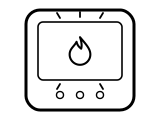
Steady, the thermostat is calling for heat. Flashing, optimum start is running: Heatmiser says optimum start delays the start of the heating to the latest possible moment so the building is warm at the programmed time, working out from how fast the room has warmed before how long it needs. Both manuals say so.
Applies to: neoStat V2 and Slimline V4. What you see: a symbol.
What Heatmiser says to do
- Nothing to do: Heatmiser says that when the flame is absent there is simply no need for heat to reach the set temperature, and the thermostat stays active.
A similar symbol on other thermostats, where it can mean something else: Honeywell: “Heat On” or the flame blinking; ecobee: Flame icon orange, or an orange line around the edge; ecobee: Flame icon white (not heating); ecobee: Flame icon with an exclamation mark; EPH: Flame: heating on.
Source:
- Heatmiser: neoStat V2 manual — neoStat V2 in thermostat mode (Mode 1). www.heatmiser.com Checked 2026-10-17.
- Heatmiser: Slimline V4 manual (Rev 1.0) — Slimline V4 in thermostat mode. www.heatmiser.com Checked 2026-10-17.
House with a snowflake: frost protection
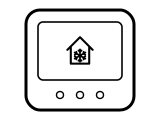
Frost protection mode is on: the thermostat turns the heating on only if the room drops below the frost temperature, 12 °C unless it was changed. If the heating does come on in frost mode, the flame appears as well. On the Slimline V4 there is one more case: with the display turned off, Heatmiser says the frost symbol appears in place of the flame to show heat demand.
Applies to: neoStat V2 and Slimline V4 (the screen-off case is Slimline V4 only). What you see: a symbol.
What Heatmiser says to do
- neoStat V2: use Left or Right to reach the power icon and press Tick; Heatmiser says frost mode toggles on and off with each press.
- Slimline V4: press the Power button once to turn frost mode on, and once again to cancel it.
- The frost temperature can be 7 to 17 °C on both, 12 °C by default; on the neoStat V2 it is feature 03 (on the Slimline V4, feature 03 is instead whether frost protection stays on with the display off, on by default).
A similar symbol on other thermostats, where it can mean something else: Honeywell: “Cool On” or the snowflake blinking; ecobee: Snowflake icon blue, or a blue ring around the edge; ecobee: Snowflake icon white (not cooling); Danfoss: Snowflake in a shield: frost protection active; EPH: Snowflake: frost protection active.
Source:
- Heatmiser: neoStat V2 manual — neoStat V2 in thermostat mode (Mode 1). www.heatmiser.com Checked 2026-10-17.
- Heatmiser: Slimline V4 manual (Rev 1.0) — Slimline V4 in thermostat mode. www.heatmiser.com Checked 2026-10-17.
Aeroplane: holiday mode (neoStat V2)
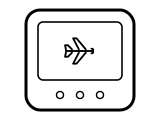
Holiday mode is on: the set temperature is lowered to the frost protection temperature until the end date and time you entered, then the normal program resumes. Heatmiser says a neoStat V2 holiday starts immediately.
Applies to: neoStat V2. What you see: a symbol.
What Heatmiser says to do
- To cancel: use Left or Right to reach HOLIDAY and press Tick, then press Tick while CANCEL is highlighted.
- To set one: go to HOLIDAY, press Tick, then set the year, month, day and time it should end.
Source:
- Heatmiser: neoStat V2 manual — neoStat V2 in thermostat mode (Mode 1). www.heatmiser.com Checked 2026-10-17.
Suitcase: holiday mode (Slimline V4)
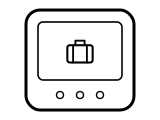
Holiday mode is on: the set temperature is lowered to the frost protection temperature for the number of days you set. Unlike the neoStat V2, Heatmiser says a Slimline holiday does not start until 00:00 the next day: set 2 days on a Friday and Saturday counts as day one, and the program returns at 00:00 on Monday.
Applies to: Slimline V4. What you see: a symbol.
What Heatmiser says to do
- To cancel: press H three times until the suitcase shows and reduce the number of days to 00.
- To set one: press H three times, set the number of days with Up or Down and confirm with A.
A similar symbol on other thermostats, where it can mean something else: Danfoss: Suitcase: Away mode.
Source:
- Heatmiser: Slimline V4 manual (Rev 1.0) — Slimline V4 in thermostat mode. www.heatmiser.com Checked 2026-10-17.
Wi-Fi-style arcs: mesh link to the neoHub (neoStat V2)

Shown steadily, the thermostat is talking to the neoHub over Heatmiser’s mesh network, where each thermostat relays signals for the others. Flashing, it is pairing. Missing, Heatmiser says the connection to the neoHub has been lost.
Applies to: neoStat V2. What you see: a symbol.
What Heatmiser says to do
- To pair: press Tick to pair with the neoHub; Heatmiser says the mesh symbol flashes while it pairs and stays on once it has connected.
The maker puts this down to Wi-Fi or the network. If the problem is the router itself, its own lights are explained on the router and broadband hub lights page.
A similar symbol on other thermostats, where it can mean something else: Sensi: Flashing X next to the Wi-Fi icon (Sensi Lite).
Source:
- Heatmiser: neoStat V2 manual — neoStat V2 in thermostat mode (Mode 1). www.heatmiser.com Checked 2026-10-17.
Wavy lines with arrows: floor temperature limit reached
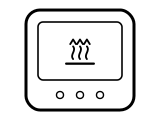
The floor probe has reached the floor temperature limit set in the setup menu (feature 07 on both), so the thermostat is holding the floor below it. It only applies to underfloor heating with a floor probe.
Applies to: neoStat V2 and Slimline V4, with a floor probe fitted. What you see: a symbol.
What to do
Heatmiser gives no step for this on the page cited; the meaning above is all it says.
Source:
- Heatmiser: neoStat V2 manual — neoStat V2 in thermostat mode (Mode 1). www.heatmiser.com Checked 2026-10-17.
- Heatmiser: Slimline V4 manual (Rev 1.0) — Slimline V4 in thermostat mode. www.heatmiser.com Checked 2026-10-17.
Padlock: keypad locked
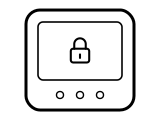
The keypad is locked, so the buttons will not change anything. Heatmiser says the indicator is only shown while the lock is active.
Applies to: neoStat V2 (with a PIN) and Slimline V4 (no PIN). What you see: a symbol.
What Heatmiser says to do
- neoStat V2: press Tick once; the screen shows 00:00 and you enter the four-digit PIN that was set when it was locked.
- Slimline V4: hold A and Down together for 10 seconds; Heatmiser says the same keys lock and unlock it, with no PIN.
A similar symbol on other thermostats, where it can mean something else: Sensi: Padlock icon; EPH: Padlock: keypad locked.
Source:
- Heatmiser: neoStat V2 manual — neoStat V2 in thermostat mode (Mode 1). www.heatmiser.com Checked 2026-10-17.
- Heatmiser: Slimline V4 manual (Rev 1.0) — Slimline V4 in thermostat mode. www.heatmiser.com Checked 2026-10-17.
HOLD LEFT or HOLD FOR: a temperature hold is on
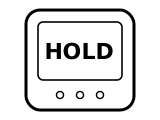
A temperature hold is overriding the program: the thermostat keeps the hold temperature for the time shown, counting down, then returns to the normal program. The neoStat V2 labels it HOLD LEFT, the Slimline V4 HOLD FOR.
Applies to: neoStat V2 (HOLD LEFT) and Slimline V4 (HOLD FOR). What you see: words.
What Heatmiser says to do
- neoStat V2: with HOLD selected on the main menu, press Tick, then press Tick again while CANCEL is highlighted.
- Slimline V4: press H and reduce the hold time to 00:00.
Source:
- Heatmiser: neoStat V2 manual — neoStat V2 in thermostat mode (Mode 1). www.heatmiser.com Checked 2026-10-17.
- Heatmiser: Slimline V4 manual (Rev 1.0) — Slimline V4 in thermostat mode. www.heatmiser.com Checked 2026-10-17.
SET: changing a set temperature
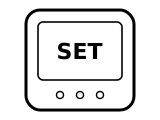
A set temperature (or, while programming, a program) is being changed. Both manuals list SET as shown while changes are being made.
Applies to: neoStat V2 and Slimline V4. What you see: words.
What Heatmiser says to do
- Slimline V4: confirm with A; in programmable mode the new temperature holds only until the next programmed comfort level, and in non-programmable mode it is kept constantly.
Source:
- Heatmiser: Slimline V4 manual (Rev 1.0) — Slimline V4 in thermostat mode. www.heatmiser.com Checked 2026-10-17.
- Heatmiser: neoStat V2 manual — neoStat V2 in thermostat mode (Mode 1). www.heatmiser.com Checked 2026-10-17.
Only the power symbol: thermostat off
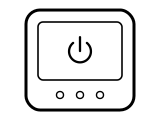
The thermostat is completely off: the display and the heating output are off. On the neoStat V2, Heatmiser says that after holding Tick on the power icon for about 3 seconds the screen shows SETUP and CLOCK for 30 seconds, then only the power icon remains.
Applies to: neoStat V2 (the screen-off steps are Slimline V4 too). What you see: a symbol.
What Heatmiser says to do
- neoStat V2: press Tick once to turn it back on.
- Slimline V4: Heatmiser says to press and hold the Power button to turn it completely off.
Source:
- Heatmiser: neoStat V2 manual — neoStat V2 in thermostat mode (Mode 1). www.heatmiser.com Checked 2026-10-17.
- Heatmiser: Slimline V4 manual (Rev 1.0) — Slimline V4 in thermostat mode. www.heatmiser.com Checked 2026-10-17.
E0, E1 or E2: a temperature sensor fault
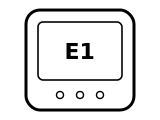
E0: the internal sensor has developed a fault. E1: the remote floor probe is not connected, is wired incorrectly or is faulty. E2: the same for the remote air probe. Both manuals give the same three codes.
Applies to: neoStat V2 and Slimline V4. What you see: a code.
Codes this covers: E0 E1 E2.
What Heatmiser says to do
- For E0, the Slimline V4 manual says to contact your thermostat retailer for assistance.
Source:
- Heatmiser: Slimline V4 manual (Rev 1.0) — Slimline V4 in thermostat mode. www.heatmiser.com Checked 2026-10-17.
- Heatmiser: neoStat V2 manual — neoStat V2 in thermostat mode (Mode 1). www.heatmiser.com Checked 2026-10-17.
Sources
Heatmiser’s own help pages only, read on the date shown. Nothing here comes from third-party “codes explained” sites or forums.
- Heatmiser: neoStat V2 manual — neoStat V2 in thermostat mode (Mode 1). www.heatmiser.com Checked 2026-10-17.
- Heatmiser: Slimline V4 manual (Rev 1.0) — Slimline V4 in thermostat mode. www.heatmiser.com Checked 2026-10-17.