Vodafone 5G Hub lights: what each colour means
5 light states of the Vodafone 5G Hub, from Vodafone’s own page Vodafone router lights explained — 5G Hub. It has a signal-strength light and a system light. Vodafone lists colours only for this hub, no flashing patterns. The signal light’s shade (light, medium or dark) is the signal strength.
What people ask
What do the Vodafone 5G Hub’s light colours mean? The signal light’s colour is the network and its shade is the strength: blue is 5G (“Light blue: 5G strong signal”, “Medium blue: 5G normal signal”, “Dark blue: 5G medium signal”), green is the same scale on 4G, and “Yellow: Very poor signal”. The second light, the system light, is either “White: System working normally” or red for a fault. Vodafone lists no flashing pattern for this hub. On this page: Signal light blue (light, medium or dark) · Signal light green (light, medium or dark).
Source: Vodafone UK, Vodafone router lights explained (5G Hub tab) Checked 2026-10-13.
4 more: flashing blue, red light, green light, solid white
What does a flashing blue light on a Vodafone router mean? Not on a 5G Hub: its blue signal light only ever shines steadily, from “Light blue: 5G strong signal” to “Dark blue: 5G medium signal”. A flashing blue light is listed for the Ultra Hub, where “Flashing blue – rebooting hub”, and the Ultra Hub and the Power Hub both list “Flashing blue/white” as a firmware update in progress. Those devices have their own pages: Vodafone Ultra Hub lights · Vodafone Power Hub lights. On this page: Signal light blue (light, medium or dark).
Sources: Vodafone UK, Vodafone router lights explained (5G Hub tab) Checked 2026-10-13. · Vodafone UK, Vodafone router lights explained (Vodafone Ultra Hub tab) Checked 2026-10-13. · Vodafone UK, Vodafone router lights explained (Power Hub tab) Checked 2026-10-13.
Why is my Vodafone 5G Hub light red? A red system light is a fault, and Vodafone gives five possible causes in one line: “Red: System startup abnormal / WiFi error / SIM error / No network / Antenna rotating”. Its page names no fix for any of them; it says only “For help with your internet connection, visit our Broadband Support Hub”. On this page: System light red.
Source: Vodafone UK, Vodafone router lights explained (5G Hub tab) Checked 2026-10-13.
What does a green light on a Vodafone 5G Hub mean? That the hub is connected over 4G rather than 5G. Vodafone lists “Light green: 4G strong signal”, “Medium green: 4G normal signal” and “Dark green: 4G medium signal”, the same three shades it uses in blue for 5G, and gives no fault or fix for any of them. On this page: Signal light green (light, medium or dark).
Source: Vodafone UK, Vodafone router lights explained (5G Hub tab) Checked 2026-10-13.
What does a solid white light on a Vodafone 5G Hub mean? On the 5G Hub, white is the system light saying all is well: “White: System working normally”. It is the only white light Vodafone lists for this hub; its other hubs use white for other things, so check the name on the hub’s label. On this page: System light white.
Source: Vodafone UK, Vodafone router lights explained (5G Hub tab) Checked 2026-10-13.
The questions are Google’s search suggestions; each answer comes only from the Vodafone page named under it.
Vodafone’s page names six hubs: Vodafone WiFi Hub, Ultra Hub, VOX 2.5, Power Hub, 5G Hub and 5G Outdoor Hub; the name is on the hub’s label.
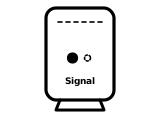
Signal light blue (light, medium or dark)
Connected over 5G. Light blue is a strong 5G signal, medium blue normal, dark blue medium.
Vodafone’s page gives no step for this light.
Source: Vodafone router lights explained — 5G Hub (Vodafone UK), checked 2026-09-29, read in a browser.
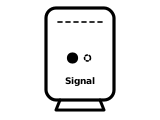
Signal light green (light, medium or dark)
Connected over 4G. Light green is a strong 4G signal, medium green normal, dark green medium.
Vodafone’s page gives no step for this light.
Source: Vodafone router lights explained — 5G Hub (Vodafone UK), checked 2026-09-29, read in a browser.
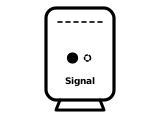
Signal light yellow
Very poor signal.
Vodafone’s page gives no step for this light.
Source: Vodafone router lights explained — 5G Hub (Vodafone UK), checked 2026-09-29, read in a browser.
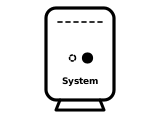
System light white
The system is working normally.
Vodafone’s page gives no step for this light.
Source: Vodafone router lights explained — 5G Hub (Vodafone UK), checked 2026-09-29, read in a browser.
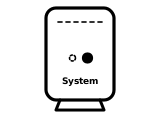
System light red
Something is wrong: Vodafone lists an abnormal start-up, a Wi-Fi error, a SIM error, no network, or the antenna rotating.
Vodafone’s page gives no step for this light.
Source: Vodafone router lights explained — 5G Hub (Vodafone UK), checked 2026-09-29, read in a browser.
Other Vodafone hubs
The same colour can mean something else on another Vodafone hub, so check the name on your hub’s label.
Sources
Vodafone’s own pages only, read on the date shown. Nothing here comes from third-party router-light sites.
- Vodafone UK: Vodafone router lights explained — 5G Hub — Vodafone 5G Hub. www.vodafone.co.uk Checked 2026-09-29. Read in a browser: the page draws its text with a script.
Find a light by colour on any provider’s hub or maker’s router →