Spectrum WiFi 6E Router lights: what each colour means
6 light states of the Spectrum WiFi 6E Router, from Spectrum’s own page Spectrum WiFi 6E Router User Guide - Version 12 (PDF). It has one status light on the front panel: blue, or red for a fault. To restart it, Spectrum’s guide says to hold the button on the back panel for 4 to 14 seconds; holding it for more than 15 seconds resets the router to factory settings and removes your own configuration.
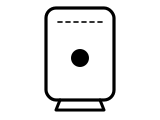
Blue, solid
Connected to the internet.
Spectrum’s page gives no step for this light.
Source: Spectrum WiFi 6E Router User Guide - Version 12 (PDF) (Spectrum), checked 2026-10-13.
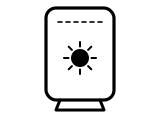
Blue, flashing
Device is booting up.
Spectrum’s page gives no step for this light.
Source: Spectrum WiFi 6E Router User Guide - Version 12 (PDF) (Spectrum), checked 2026-10-13.
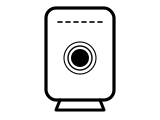
Blue, pulsing
Connecting to the internet.
Spectrum’s page gives no step for this light.
Source: Spectrum WiFi 6E Router User Guide - Version 12 (PDF) (Spectrum), checked 2026-10-13.
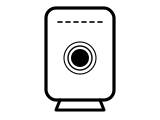
Red, pulsing
Connectivity but no management access.
What Spectrum says to do
- Restart your router: Spectrum’s guide says restarting solves most problems, whether you have a slow connection or no internet at all.
- Hold the back-panel button for 4 to 14 seconds to restart it; more than 15 seconds is a factory reset.
Source: Spectrum WiFi 6E Router User Guide - Version 12 (PDF) (Spectrum), checked 2026-10-13.
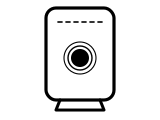
Red and blue, pulsing
Updating firmware (device will automatically restart).
Spectrum’s page gives no step for this light.
Source: Spectrum WiFi 6E Router User Guide - Version 12 (PDF) (Spectrum), checked 2026-10-13.
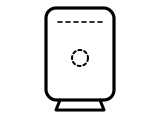
No light (off)
Device is off.
Spectrum’s page gives no step for this light.
Source: Spectrum WiFi 6E Router User Guide - Version 12 (PDF) (Spectrum), checked 2026-10-13.
Other Spectrum hubs
The same colour can mean something else on another Spectrum hub, so check the name on your hub’s label.
Sources
Spectrum’s own pages only, read on the date shown. Nothing here comes from third-party router-light sites.
- Spectrum: Spectrum WiFi 6E Router User Guide - Version 12 (PDF) — Spectrum WiFi 6E Router. drupal-cms.spectrum.net Checked 2026-10-13.
Find a light by colour on any provider’s hub or maker’s router →