eufy RoboVac: what each light, error and message means
A eufy RoboVac of the Bounce series tells you what is wrong with a number of beeps and a red light that is either flashing or solid. The count and the flashing-or-solid together name the part: two beeps with a flashing red light is the bumper, two beeps with a solid red light is the side brush. Its status light also shows charging and low battery.
eufy’s G series, X8, LR20, LR30 and L35 RoboVacs speak voice alerts instead of beeping, and their status lights differ in places (for example flashing blue for charging on the LR series), so check which series you have.
Breathing orange
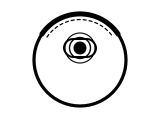
Charging, while docked on the charging base. It turns solid blue when fully charged.
Applies to: RoboVac Bounce series, G series and X8 series. What you notice: orange light, pulsing or breathing.
What to do
eufy Support gives no step for this; the meaning above is all it says.
Source:
- eufy Support: What does the status light on RoboVac indicate? — RoboVac Bounce series, G series, X8 series, LR20, LR30 and L35 series. service.eufy.com Checked 2026-09-29.
Solid orange
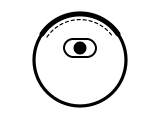
The battery is low and the RoboVac is heading back to its charging base.
Applies to: RoboVac Bounce series (on the G and X8 series it means standing by or working on a low battery). What you notice: orange light, steady (solid).
What to do
eufy Support gives no step for this; the meaning above is all it says.
Source:
- eufy Support: What does the status light on RoboVac indicate? — RoboVac Bounce series, G series, X8 series, LR20, LR30 and L35 series. service.eufy.com Checked 2026-09-29.
Solid blue
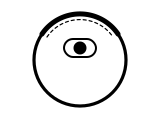
Standing by, cleaning, or fully charged: nothing is wrong.
Applies to: RoboVac Bounce series, G series, X8 series, LR20, LR30 and L35. What you notice: blue light, steady (solid).
What to do
eufy Support gives no step for this; the meaning above is all it says.
Source:
- eufy Support: What does the status light on RoboVac indicate? — RoboVac Bounce series, G series, X8 series, LR20, LR30 and L35 series. service.eufy.com Checked 2026-09-29.
1 beep, solid red light
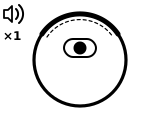
A wheel problem: eufy’s steps are all about freeing the drive wheels. (With one beep and a flashing red light instead, eufy asks whether the robot was stuck somewhere and for a video, and gives no fix.)
Applies to: RoboVac Bounce series. What you notice: red light, steady (solid); 1 beeps.
What eufy says to do
- Clean the wheels, then tap and shake them to check each one is flexible and springs back; compare it with the other side.
- The bottom of the robot is marked R and L on many models, to tell you which wheel is the problem.
- If cleaning from outside does not help, eufy shows how to take the problem wheel off to check for anything caught under it or a broken wire.
- If that does not help, contact eufy for further help.
Source:
- eufy Support: What if my RoboVac stops in the middle of cleaning with One Beep Error? — RoboVac Bounce series (beep alerts). service.eufy.com Checked 2026-09-29.
2 beeps, flashing red light
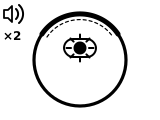
A bumper error.
Applies to: RoboVac Bounce series. What you notice: red light, flashing or blinking; 2 beeps.
What eufy says to do
- Tap, pull and shake the bumper firmly to dislodge debris underneath, and check it springs back.
- Wipe the bumper with a clean, dry cloth.
- If it still errors, check whether the bumper sits evenly or one side sinks or sticks out; eufy shows how to loosen its screws underneath and refit it, minding the cable that joins it to the robot.
- If you need more help, contact eufy.
Source:
- eufy Support: What if my RoboVac stops in the middle of cleaning with Two Beep Error? — RoboVac Bounce series (beep alerts). service.eufy.com Checked 2026-09-29.
2 beeps, solid red light
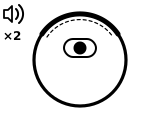
A side brush error.
Applies to: RoboVac Bounce series. What you notice: red light, steady (solid); 2 beeps.
What eufy says to do
- Take the side brushes off, clean them and clean the connector on the robot.
- Fit a spare pair if you have one, or swap the two brushes over; each should click as it snaps on.
- If that does not help, eufy says replacing the side brush assembly may fix it, and links a video of how. Contact eufy if you need more help.
Source:
- eufy Support: What if my RoboVac stops in the middle of cleaning with Two Beep Error? — RoboVac Bounce series (beep alerts). service.eufy.com Checked 2026-09-29.
3 beeps, flashing red light
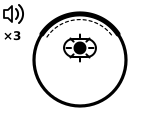
A drop sensor error.
Applies to: RoboVac Bounce series. What you notice: red light, flashing or blinking; 3 beeps.
What eufy says to do
- Notice whether it only happens in one area, such as strong sunlight or on black carpet.
- Make sure the robot is charged; switch the main power switch underneath off, and back on after 1 minute.
- Wipe all 3 drop sensors with a clean, dry cloth.
- If that does not help, email eufy for further help.
Source:
- eufy Support: What if my RoboVac stops in the middle of cleaning with Three Beep Error? — RoboVac Bounce series (beep alerts). service.eufy.com Checked 2026-09-29.
3 beeps, solid red light
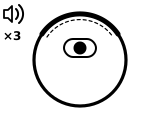
A suction fan error.
Applies to: RoboVac Bounce series. What you notice: red light, steady (solid); 3 beeps.
What eufy says to do
- Empty the dust collector, clean the suction inlet and air passage, and check the filters are in place and lined up.
- With the dust collector out, hold the robot upright, bumper up and suction opening down, and shake out anything stuck.
- Make sure it has not run over liquid; dry any wet parts completely before refitting them.
- If that does not help, email eufy for further help.
Source:
- eufy Support: What if my RoboVac stops in the middle of cleaning with Three Beep Error? — RoboVac Bounce series (beep alerts). service.eufy.com Checked 2026-09-29.
4 beeps, flashing red light
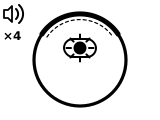
Low battery.
Applies to: RoboVac Bounce series. What you notice: red light, flashing or blinking; 4 beeps.
What eufy says to do
- Reconnect the adapter to the charging base and check the base’s white power light comes on.
- Wipe the charging pins on the base and under the robot with a clean, dry cloth.
- Set the robot within 6 feet of the base, facing it, and press the return-home button so it docks itself.
- Charge for 6 hours or more: the light flashes orange while charging and turns solid blue when full.
- If that does not help, contact eufy by email.
Source:
- eufy Support: What if my RoboVac stops in the middle of cleaning with Four Beep Error? — RoboVac Bounce series (beep alerts). service.eufy.com Checked 2026-09-29.
4 beeps, solid red light
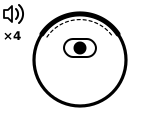
The rolling brush is stuck.
Applies to: RoboVac Bounce series. What you notice: red light, steady (solid); 4 beeps.
What eufy says to do
- Take out the rolling brush and side brushes and clean them, especially both ends of the rolling brush and the connectors on the robot.
- Charge for 6 hours or more until the light is solid blue.
- Remove the brush guard and rolling brush and run the robot on a hard floor without them, to see whether the error persists.
- If that does not help, email eufy with photos of both ends of the rolling brush and the two connectors on the robot.
Source:
- eufy Support: What if my RoboVac stops in the middle of cleaning with Four Beep Error? — RoboVac Bounce series (beep alerts). service.eufy.com Checked 2026-09-29.
4 or 5 beeps, solid red light on the charger
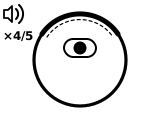
Usually a battery problem, shown while the RoboVac is charging.
Applies to: RoboVac Bounce series. What you notice: red light, steady (solid); 4 or 5 beeps.
What eufy says to do
- Reconnect the adapter to the charging base and check the base’s white power light comes on.
- Let the RoboVac dock by itself so the charging pins meet properly.
- Charge for 6 hours or more and see whether the breathing orange light turns solid blue.
- If the RoboVac is more than a year old, eufy suggests a replacement battery; within its 12-month warranty, contact eufy for a new battery or further help.
Source:
- eufy Support: What if my RoboVac beeps 4 or 5 times with a solid red light when on the charger? — RoboVac Bounce series (beep alerts). service.eufy.com Checked 2026-09-29.
Sources
eufy’s own support pages and manuals only, read on the date shown. Nothing here comes from third-party “error codes explained” sites.
- eufy Support: What does the status light on RoboVac indicate? — RoboVac Bounce series, G series, X8 series, LR20, LR30 and L35 series. service.eufy.com Checked 2026-09-29.
- eufy Support: What if my RoboVac stops in the middle of cleaning with One Beep Error? — RoboVac Bounce series (beep alerts). service.eufy.com Checked 2026-09-29.
- eufy Support: What if my RoboVac stops in the middle of cleaning with Two Beep Error? — RoboVac Bounce series (beep alerts). service.eufy.com Checked 2026-09-29.
- eufy Support: What if my RoboVac stops in the middle of cleaning with Three Beep Error? — RoboVac Bounce series (beep alerts). service.eufy.com Checked 2026-09-29.
- eufy Support: What if my RoboVac stops in the middle of cleaning with Four Beep Error? — RoboVac Bounce series (beep alerts). service.eufy.com Checked 2026-09-29.
- eufy Support: What if my RoboVac beeps 4 or 5 times with a solid red light when on the charger? — RoboVac Bounce series (beep alerts). service.eufy.com Checked 2026-09-29.