ECOVACS DEEBOT: what each light, error and message means
An ECOVACS DEEBOT with an OMNI station has two kinds of light, and ECOVACS’s manuals give each only a colour and a meaning. The light on the station (a small indicator, or a light strip on the N30 OMNI and X2 OMNI) glows white while the station is on standby or working and flashes red for a malfunction; the reason is in the ECOVACS HOME App, not on the station. The Wi-Fi light on the robot flashes or stays solid, and here the generations differ: on the T50, T80 and X9 PRO OMNI a slow white flash means disconnected and a fast one means connecting, the T30S manual prints the opposite, and the X2 OMNI uses a blue light with no slow or fast. When every light goes out, ECOVACS says the station has lost power or gone into deep sleep, and the robot’s own lights go out a while after it is paused. None of the nine ECOVACS manuals and help pages read for this page names an orange, yellow or purple light, so this page does not guess what one means.
The station’s indicator sits on its front (on the N30 OMNI and X2 OMNI it is a light strip); the Wi-Fi status light is on the robot, and on the T50, T80 and X9 PRO OMNI it doubles as the RESET button. ECOVACS publishes no numbered robot error codes on its US help site, and its manuals’ troubleshooting tables number rows, not codes the robot shows, so this page has no error numbers. Each state names the manuals it comes from; check yours, because the Wi-Fi flashes mean opposite things in two of them.
Solid white on the OMNI station

Standby or running: the station is powered and either waiting or working. The T30S manual calls it “Glowing White”; the N30 OMNI manual words its light strip as running or self-cleaning. If the light goes out instead, ECOVACS says the station has lost power or is in deep sleep mode.
Applies to: DEEBOT T30S, T50 OMNI, T80 OMNI family and X9 PRO OMNI stations (the station indicator), and the DEEBOT N30 OMNI station (its light strip). What you notice: white light, steady (solid).
What to do
ECOVACS ROBOTICS gives no step for this; the meaning above is all it says.
Source:
- ECOVACS ROBOTICS: DEEBOT T50 OMNI Instruction Manual — DEEBOT T50 OMNI robot and OMNI station. site-static.ecovacs.com Checked 2026-10-17.
- ECOVACS ROBOTICS: DEEBOT T30S Instruction Manual — DEEBOT T30S robot and OMNI station. site-static.ecovacs.com Checked 2026-10-17.
- ECOVACS ROBOTICS: DEEBOT T80 Family Instruction Manual — DEEBOT T80 OMNI family robots and OMNI station. site-static.ecovacs.com Checked 2026-10-17.
- ECOVACS ROBOTICS: DEEBOT X9 PRO OMNI Instruction Manual — DEEBOT X9 PRO OMNI robot and OMNI station. site-static.ecovacs.com Checked 2026-10-17.
- ECOVACS ROBOTICS: DEEBOT N30 OMNI Instruction Manual (US) — DEEBOT N30 OMNI robot and OMNI station. site-static.ecovacs.com Checked 2026-10-17.
White light on the X1 OMNI station when it is not working
The white light is a standby light: the station is on standby, not faulty. ECOVACS says it goes off by itself 10 minutes after auto-emptying.
Applies to: DEEBOT X1 OMNI docking station. What you notice: white light, steady (solid).
What to do
ECOVACS Support gives no step for this; the meaning above is all it says.
Source:
- ECOVACS Support: Why is the white indicator on the docking station still lit up when it is not in operation? — DEEBOT X1 OMNI docking station. help.ecovacs.com Checked 2026-10-17.
Flashing red on the OMNI station

Malfunction. The station’s light says only that something is wrong; the manuals give no colour or flash count for which fault it is.
Applies to: DEEBOT T30S, T50 OMNI, T80 OMNI family and X9 PRO OMNI stations (the station indicator), and the DEEBOT N30 OMNI and X2 OMNI stations (the light strip). What you notice: red light, flashing or blinking.
What ECOVACS says to do
- Check the reason in the ECOVACS HOME App: it shows the details of the malfunction.
Source:
- ECOVACS ROBOTICS: DEEBOT T50 OMNI Instruction Manual — DEEBOT T50 OMNI robot and OMNI station. site-static.ecovacs.com Checked 2026-10-17.
- ECOVACS ROBOTICS: DEEBOT T30S Instruction Manual — DEEBOT T30S robot and OMNI station. site-static.ecovacs.com Checked 2026-10-17.
- ECOVACS ROBOTICS: DEEBOT T80 Family Instruction Manual — DEEBOT T80 OMNI family robots and OMNI station. site-static.ecovacs.com Checked 2026-10-17.
- ECOVACS ROBOTICS: DEEBOT X9 PRO OMNI Instruction Manual — DEEBOT X9 PRO OMNI robot and OMNI station. site-static.ecovacs.com Checked 2026-10-17.
- ECOVACS ROBOTICS: DEEBOT N30 OMNI Instruction Manual (US) — DEEBOT N30 OMNI robot and OMNI station. site-static.ecovacs.com Checked 2026-10-17.
- ECOVACS ROBOTICS: DEEBOT X2 OMNI Instruction Manual — DEEBOT X2 OMNI robot and station. site-static.ecovacs.com Checked 2026-10-17.
Wi-Fi light flashing white slowly
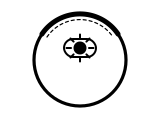
Disconnected from Wi-Fi. The X1 OMNI and T10 OMNI manuals ask for a slowly flashing Wi-Fi light before you add the robot in the ECOVACS HOME App. On a DEEBOT T30S a slow flash means the opposite (connecting): see that state below.
Applies to: DEEBOT T50 OMNI, T80 OMNI family and X9 PRO OMNI robots; the X1 OMNI and T10 OMNI manuals give the same meaning for a slow flash (“disconnected from Wi-Fi or waiting for Wi-Fi connection”) without naming the colour. What you notice: white light, flashing or blinking.
What to do
ECOVACS ROBOTICS gives no step for this; the meaning above is all it says.
Source:
- ECOVACS ROBOTICS: DEEBOT T50 OMNI Instruction Manual — DEEBOT T50 OMNI robot and OMNI station. site-static.ecovacs.com Checked 2026-10-17.
- ECOVACS ROBOTICS: DEEBOT T80 Family Instruction Manual — DEEBOT T80 OMNI family robots and OMNI station. site-static.ecovacs.com Checked 2026-10-17.
- ECOVACS ROBOTICS: DEEBOT X9 PRO OMNI Instruction Manual — DEEBOT X9 PRO OMNI robot and OMNI station. site-static.ecovacs.com Checked 2026-10-17.
- ECOVACS ROBOTICS: DEEBOT X1 OMNI Instruction Manual — DEEBOT X1 OMNI robot and OMNI station. site-static.ecovacs.com Checked 2026-10-17.
- ECOVACS ROBOTICS: DEEBOT T10 OMNI Instruction Manual — DEEBOT T10 OMNI robot and OMNI station. site-static.ecovacs.com Checked 2026-10-17.
Wi-Fi light flashing white quickly
Connecting to Wi-Fi. On a DEEBOT T30S a fast flash means disconnected instead: see that state below.
Applies to: DEEBOT T50 OMNI, T80 OMNI family and X9 PRO OMNI robots; the X1 OMNI and T10 OMNI manuals say the same of a rapid flash without naming the colour. What you notice: white light, flashing or blinking.
What to do
ECOVACS ROBOTICS gives no step for this; the meaning above is all it says.
Source:
- ECOVACS ROBOTICS: DEEBOT T50 OMNI Instruction Manual — DEEBOT T50 OMNI robot and OMNI station. site-static.ecovacs.com Checked 2026-10-17.
- ECOVACS ROBOTICS: DEEBOT T80 Family Instruction Manual — DEEBOT T80 OMNI family robots and OMNI station. site-static.ecovacs.com Checked 2026-10-17.
- ECOVACS ROBOTICS: DEEBOT X9 PRO OMNI Instruction Manual — DEEBOT X9 PRO OMNI robot and OMNI station. site-static.ecovacs.com Checked 2026-10-17.
- ECOVACS ROBOTICS: DEEBOT X1 OMNI Instruction Manual — DEEBOT X1 OMNI robot and OMNI station. site-static.ecovacs.com Checked 2026-10-17.
- ECOVACS ROBOTICS: DEEBOT T10 OMNI Instruction Manual — DEEBOT T10 OMNI robot and OMNI station. site-static.ecovacs.com Checked 2026-10-17.
Wi-Fi light solid white
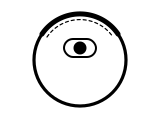
Connected to Wi-Fi.
Applies to: DEEBOT T30S, T50 OMNI, T80 OMNI family and X9 PRO OMNI robots; the X1 OMNI and T10 OMNI manuals say the same of a solid light without naming the colour. What you notice: white light, steady (solid).
What to do
ECOVACS ROBOTICS gives no step for this; the meaning above is all it says.
Source:
- ECOVACS ROBOTICS: DEEBOT T50 OMNI Instruction Manual — DEEBOT T50 OMNI robot and OMNI station. site-static.ecovacs.com Checked 2026-10-17.
- ECOVACS ROBOTICS: DEEBOT T30S Instruction Manual — DEEBOT T30S robot and OMNI station. site-static.ecovacs.com Checked 2026-10-17.
- ECOVACS ROBOTICS: DEEBOT T80 Family Instruction Manual — DEEBOT T80 OMNI family robots and OMNI station. site-static.ecovacs.com Checked 2026-10-17.
- ECOVACS ROBOTICS: DEEBOT X9 PRO OMNI Instruction Manual — DEEBOT X9 PRO OMNI robot and OMNI station. site-static.ecovacs.com Checked 2026-10-17.
- ECOVACS ROBOTICS: DEEBOT X1 OMNI Instruction Manual — DEEBOT X1 OMNI robot and OMNI station. site-static.ecovacs.com Checked 2026-10-17.
- ECOVACS ROBOTICS: DEEBOT T10 OMNI Instruction Manual — DEEBOT T10 OMNI robot and OMNI station. site-static.ecovacs.com Checked 2026-10-17.
T30S: Wi-Fi light flashing white slowly
Connecting. This is the reverse of the T50, T80 and X9 PRO OMNI manuals, where a slow white flash means disconnected; we give the T30S manual’s wording as printed.
Applies to: DEEBOT T30S robot, as its own manual prints it. What you notice: white light, flashing or blinking.
What to do
ECOVACS ROBOTICS gives no step for this; the meaning above is all it says.
Source:
- ECOVACS ROBOTICS: DEEBOT T30S Instruction Manual — DEEBOT T30S robot and OMNI station. site-static.ecovacs.com Checked 2026-10-17.
T30S: Wi-Fi light flashing white quickly
Disconnected from Wi-Fi. The T50, T80 and X9 PRO OMNI manuals give a fast white flash as connecting; the T30S manual prints it this way round.
Applies to: DEEBOT T30S robot, as its own manual prints it. What you notice: white light, flashing or blinking.
What to do
ECOVACS ROBOTICS gives no step for this; the meaning above is all it says.
Source:
- ECOVACS ROBOTICS: DEEBOT T30S Instruction Manual — DEEBOT T30S robot and OMNI station. site-static.ecovacs.com Checked 2026-10-17.
X2 OMNI: Wi-Fi light flashing blue
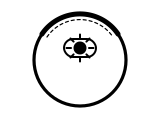
Disconnected from Wi-Fi. The X2 OMNI manual has one flashing state only, with no slow or fast flash, and its Wi-Fi light is blue, not white.
Applies to: DEEBOT X2 OMNI robot. What you notice: blue light, flashing or blinking.
What to do
ECOVACS ROBOTICS gives no step for this; the meaning above is all it says.
Source:
- ECOVACS ROBOTICS: DEEBOT X2 OMNI Instruction Manual — DEEBOT X2 OMNI robot and station. site-static.ecovacs.com Checked 2026-10-17.
X2 OMNI: Wi-Fi light solid blue
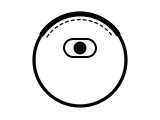
Connected to Wi-Fi.
Applies to: DEEBOT X2 OMNI robot. What you notice: blue light, steady (solid).
What to do
ECOVACS ROBOTICS gives no step for this; the meaning above is all it says.
Source:
- ECOVACS ROBOTICS: DEEBOT X2 OMNI Instruction Manual — DEEBOT X2 OMNI robot and station. site-static.ecovacs.com Checked 2026-10-17.
Sources
ECOVACS’s own support pages and manuals only, read on the date shown. Nothing here comes from third-party “error codes explained” sites.
- ECOVACS ROBOTICS: DEEBOT T30S Instruction Manual — DEEBOT T30S robot and OMNI station. site-static.ecovacs.com Checked 2026-10-17.
- ECOVACS ROBOTICS: DEEBOT T50 OMNI Instruction Manual — DEEBOT T50 OMNI robot and OMNI station. site-static.ecovacs.com Checked 2026-10-17.
- ECOVACS ROBOTICS: DEEBOT T80 Family Instruction Manual — DEEBOT T80 OMNI family robots and OMNI station. site-static.ecovacs.com Checked 2026-10-17.
- ECOVACS ROBOTICS: DEEBOT X9 PRO OMNI Instruction Manual — DEEBOT X9 PRO OMNI robot and OMNI station. site-static.ecovacs.com Checked 2026-10-17.
- ECOVACS ROBOTICS: DEEBOT N30 OMNI Instruction Manual (US) — DEEBOT N30 OMNI robot and OMNI station. site-static.ecovacs.com Checked 2026-10-17.
- ECOVACS ROBOTICS: DEEBOT X2 OMNI Instruction Manual — DEEBOT X2 OMNI robot and station. site-static.ecovacs.com Checked 2026-10-17.
- ECOVACS ROBOTICS: DEEBOT X1 OMNI Instruction Manual — DEEBOT X1 OMNI robot and OMNI station. site-static.ecovacs.com Checked 2026-10-17.
- ECOVACS ROBOTICS: DEEBOT T10 OMNI Instruction Manual — DEEBOT T10 OMNI robot and OMNI station. site-static.ecovacs.com Checked 2026-10-17.
- ECOVACS Support: Why is the white indicator on the docking station still lit up when it is not in operation? — DEEBOT X1 OMNI docking station. help.ecovacs.com Checked 2026-10-17.