Starlink Router Mini lights: what each colour means
5 light states of the Starlink Router Mini, from Starlink’s own page What do the lights on my WiFi router / power supply mean? (Starlink Help Center). It has one light on the front of the router. Starlink’s reset article: to factory-reset a Router Mini by hand, briefly push the reset button on the back with something like a paper clip; the front light blinks quickly for a few seconds, and after a few minutes, once the router has rebooted, it blinks white slowly. A factory reset clears your WiFi network name, password and other settings, and resetting from the Starlink app does not work while the router is in bypass mode. Starlink also says not to place the Router Mini outside, as that can cause connection problems.
Starlink’s article tells the routers apart by where the light is: the Router Mini and the Router 3 have one light on the front; the Gen 2 router has no lights on the front (its front graphic is an Earth to Mars orbital transfer ellipse) and a single white light on the bottom; the Gen 1 router has its light on the front and a separate power supply with two lights of its own. On the Router 3 the reset button is under the LAN port cap on the back.
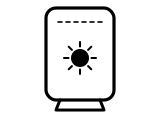
Flashing white
Trying to connect. If the router cannot get a connection to the internet in 20 minutes, the light turns red.
Starlink’s page gives no step for this light.
Source: What do the lights on my WiFi router / power supply mean? (Starlink Help Center) (Starlink), checked 2026-10-13, read in a browser.
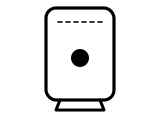
Solid white
Connected to the internet. The light turns off after 1 hour.
Starlink’s page gives no step for this light.
Source: What do the lights on my WiFi router / power supply mean? (Starlink Help Center) (Starlink), checked 2026-10-13, read in a browser.
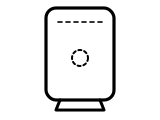
No light
No power to the router, or it is connected to the internet: the solid white light turns off after 1 hour.
Starlink’s page gives no step for this light.
Source: What do the lights on my WiFi router / power supply mean? (Starlink Help Center) (Starlink), checked 2026-10-13, read in a browser.
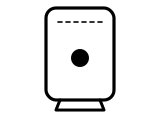
Red light
Not connected to the internet.
Starlink’s page gives no step for this light.
Source: What do the lights on my WiFi router / power supply mean? (Starlink Help Center) (Starlink), checked 2026-10-13, read in a browser.
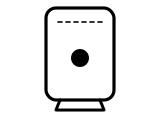
Violet light
The router is in bypass mode. The light turns off after 1 hour. A manual factory reset is required to leave bypass mode.
What Starlink says to do
- Factory-reset the router by hand: the Starlink app cannot reset a router that is in bypass mode.
Source: What do the lights on my WiFi router / power supply mean? (Starlink Help Center) (Starlink), checked 2026-10-13, read in a browser.
Other Starlink routers
The same colour can mean something else on another Starlink router, so check the name on your router’s label.
Sources
Starlink’s own pages only, read on the date shown. Nothing here comes from third-party router-light sites.
- Starlink: What do the lights on my WiFi router / power supply mean? (Starlink Help Center) — Starlink Router Mini, Router 3, Gen 2 and Gen 1 routers. www.starlink.com Checked 2026-10-13. Read in a browser: the page draws its text with a script.
- Starlink: How do I factory reset my router? (Starlink Help Center) — Starlink Router Mini, Router 3, Gen 2 and Gen 1 routers. www.starlink.com Checked 2026-10-13. Read in a browser: the page draws its text with a script.
Find a light by colour on any provider’s hub or maker’s router →