Community Fibre Nokia G-2426G-A lights: what each colour means
Community Fibre’s help article covers the Nokia G-2426G-A, the router it supplies to customers in Surrey and Sussex. It says other Nokia models (such as the G-240W) mostly share the same lights, so it still applies to them. Besides the lights below, the front has Auth (on or off depending on location; usually ignore it), LAN1 to LAN4 (green, flashing with network activity, for the four yellow Ethernet ports), VOIP and TEL1 to TEL2 (lit only with Community Fibre’s Calls service; VOIP green when it works, TEL flashing while a call is in progress) and USB (not used; ignore it). Customers outside Surrey and Sussex may have a different router; this page covers the Nokia only.
14 light states of the Community Fibre Nokia G-2426G-A, from Community Fibre’s own page What do the lights on the front of my Nokia router mean?. It has a row of named lights on the front: Power, Link, Internet, WPS, WLAN 2.4 and WLAN 5 among them. In normal use Power, Link and Internet are all green. Link off means no signal on the fibre itself, so restarting the router will not bring the internet back; Internet off with Link green is the case where Community Fibre says to restart the router first.
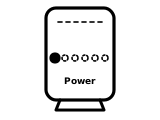
Power light green
The router is on and its power supply is working. This is normal.
Community Fibre’s page gives no step for this light.
Source: What do the lights on the front of my Nokia router mean? (Community Fibre), checked 2026-10-13.
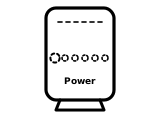
Power light off
The router is not turned on or is getting no power.
What Community Fibre says to do
- Check the power cable is connected.
- Check both the mains socket and the power switch on the back of the router are turned on.
Source: What do the lights on the front of my Nokia router mean? (Community Fibre), checked 2026-10-13.
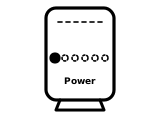
Power light red
The router has malfunctioned and needs to be replaced.
What Community Fibre says to do
- Contact Community Fibre so it can get you back online.
Source: What do the lights on the front of my Nokia router mean? (Community Fibre), checked 2026-10-13.
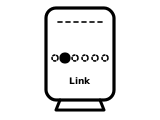
Link light green
The router is receiving an optical signal through the fibre cable coming into your home. This is normal.
Community Fibre’s page gives no step for this light.
Source: What do the lights on the front of my Nokia router mean? (Community Fibre), checked 2026-10-13.
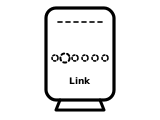
Link light off
No optical signal: there is a fault with the incoming cable, or the fibre optic cable is unplugged or damaged. Your internet will not work.
Community Fibre’s page gives no step for this light.
Source: What do the lights on the front of my Nokia router mean? (Community Fibre), checked 2026-10-13.
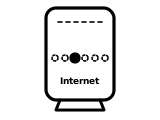
Internet light solid green
Your internet is online.
Community Fibre’s page gives no step for this light.
Source: What do the lights on the front of my Nokia router mean? (Community Fibre), checked 2026-10-13.
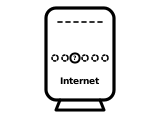
Internet light flashing
The router is trying to connect to Community Fibre’s network. (The article does not give the colour of the flashing light.)
Community Fibre’s page gives no step for this light.
Source: What do the lights on the front of my Nokia router mean? (Community Fibre), checked 2026-10-13.
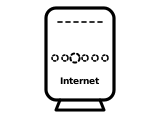
Internet light off
Your internet connection is not working.
What Community Fibre says to do
- Restart your router.
- If that does not help, contact Community Fibre.
Source: What do the lights on the front of my Nokia router mean? (Community Fibre), checked 2026-10-13.
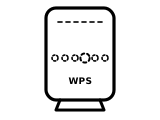
WPS light off
Usual: the WPS light is normally off.
Community Fibre’s page gives no step for this light.
Source: What do the lights on the front of my Nokia router mean? (Community Fibre), checked 2026-10-13.
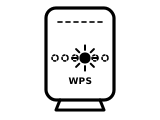
WPS light flashing green
The WPS button was pressed and the router is waiting for a WPS-enabled device to connect.
Community Fibre’s page gives no step for this light.
Source: What do the lights on the front of my Nokia router mean? (Community Fibre), checked 2026-10-13.
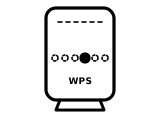
WPS light solid green, briefly
A device has connected by WPS. The light then turns off.
Community Fibre’s page gives no step for this light.
Source: What do the lights on the front of my Nokia router mean? (Community Fibre), checked 2026-10-13.
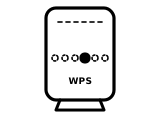
WPS light red
No device connected by WPS in the expected time.
What Community Fibre says to do
- Press the WPS button again and try connecting your device again.
Source: What do the lights on the front of my Nokia router mean? (Community Fibre), checked 2026-10-13.
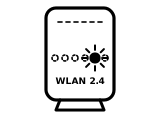
WLAN 2.4 light green or flashing
The router’s 2.4GHz WiFi is switched on; the light flashes when it is in use.
Community Fibre’s page gives no step for this light.
Source: What do the lights on the front of my Nokia router mean? (Community Fibre), checked 2026-10-13.
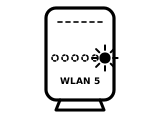
WLAN 5 light green or flashing
The router’s 5GHz WiFi is switched on; the light flashes when it is in use.
Community Fibre’s page gives no step for this light.
Source: What do the lights on the front of my Nokia router mean? (Community Fibre), checked 2026-10-13.
Sources
Community Fibre’s own pages only, read on the date shown.
- Community Fibre: What do the lights on the front of my Nokia router mean? — Nokia G-2426G-A. help.communityfibre.co.uk Checked 2026-10-13.
Find a light by colour on any provider’s hub or maker’s router →