Nespresso Creatista Uno: what the lights mean
Original line with a steam wand and milk jug (BNE500)
The Creatista Uno takes the small Original capsules and adds a steam wand and its own milk jug. It has four main buttons (Ristretto, Espresso, Lungo and Steam), a Milk temperature button and a Milk froth level button, and two small alert lights: one for descaling and one for the steam wand. This is not the Vertuo Creatista, which takes Vertuo barcode capsules and has its own page. Nespresso’s Uno manual names no light colours, so this page does not either. The same light can mean two things here: all the buttons flash for about 3 seconds while the machine heats up, which is normal, but buttons that keep flashing are a troubleshooting row with four causes to check. Every light below is quoted from the Uno’s US and Canada manual on nespresso.com.
Every Nespresso Creatista Uno light we could source, 11 in all, each with Nespresso’s meaning and steps. This is the Creatista Uno’s pattern; another Nespresso machine may use the same light for something else — check the manual for your model.
All the buttons flash for about 3 seconds after switching on
Heating up
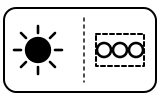
The machine is heating up. On the Uno this takes about 3 seconds, so a flash that stops on its own is normal.
“Turn the machine ON by pressing the Lungo, Espresso, Ristretto, or Steam button. The buttons will flash while the machine heats up. Heating up takes approximately 3 seconds.”
- Which light
- Several lights or symbols at once
- Colour
- Colour not named by the maker
- Steady or flashing
- Flashing or blinking
What Nespresso says to do
- Wait about 3 seconds; when the machine is hot the Lungo button lights up.
- If the buttons are still flashing well after that, see ‘Buttons keep flashing’ below.
Source:
- Nespresso: Creatista Uno — My Machine (user manual): First Use (p. 14), Energy Saving (p. 23), Steam Wand Cleaning (p. 25), Descaling (pp. 26–27) and Troubleshooting (p. 29) — Creatista Uno BNE500, US and Canada manual in English and French (BNE500 CREATISTA UNO USC IB G). www.nespresso.com Checked 2026-10-14.
Lungo button lit after the warm-up
Normal operation
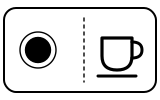
The machine has heated up and is ready to brew.
“The Lungo button will illuminate once heated.”
- Which light
- Cup, drink or strength buttons
- Colour
- Colour not named by the maker
- Steady or flashing
- Steady
What Nespresso says to do
- Nothing to fix: insert a capsule, close the lever and press Ristretto, Espresso or Lungo.
Source:
- Nespresso: Creatista Uno — My Machine (user manual): First Use (p. 14), Energy Saving (p. 23), Steam Wand Cleaning (p. 25), Descaling (pp. 26–27) and Troubleshooting (p. 29) — Creatista Uno BNE500, US and Canada manual in English and French (BNE500 CREATISTA UNO USC IB G). www.nespresso.com Checked 2026-10-14.
Buttons keep flashing and the machine will not brew
Fault or blockage
The troubleshooting table’s ‘Buttons flashing’ row. Nespresso lists four causes, in this order: the water tank is empty, the steam tip is blocked, the machine needs descaling, or the steam wand needs a Clean Steam Wand cycle.
“Check the water tank. If empty, fill with potable water and brew a coffee.”
- Which light
- Several lights or symbols at once
- Colour
- Colour not named by the maker
- Steady or flashing
- Flashing or blinking
What Nespresso says to do
- Check the water tank. If it is empty, fill it with potable water and brew a coffee.
- Check the steam tip for blockages: use the pin cleaning tool stored under the water tank to unblock each of its holes.
- Descale the machine, if necessary.
- Complete a Clean Steam Wand cycle, if necessary.
Source:
- Nespresso: Creatista Uno — My Machine (user manual): First Use (p. 14), Energy Saving (p. 23), Steam Wand Cleaning (p. 25), Descaling (pp. 26–27) and Troubleshooting (p. 29) — Creatista Uno BNE500, US and Canada manual in English and French (BNE500 CREATISTA UNO USC IB G). www.nespresso.com Checked 2026-10-14.
No button lit
Off or no power
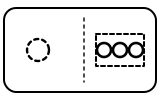
Most often the machine has switched itself off after 10 minutes without use. Nespresso’s troubleshooting table also lists an empty water tank and a power problem.
“To save energy the machine will turn to OFF mode after 10 minutes of non use.”
- Which light
- Several lights or symbols at once
- Colour
- No light
- Steady or flashing
- Off
What Nespresso says to do
- Press the Ristretto, Espresso or Lungo button to turn the machine back on.
- Check the water tank; if it is empty, fill it with potable water.
- Check the outlet: plug, voltage, fuse.
Source:
- Nespresso: Creatista Uno — My Machine (user manual): First Use (p. 14), Energy Saving (p. 23), Steam Wand Cleaning (p. 25), Descaling (pp. 26–27) and Troubleshooting (p. 29) — Creatista Uno BNE500, US and Canada manual in English and French (BNE500 CREATISTA UNO USC IB G). www.nespresso.com Checked 2026-10-14.
Descale alert light flashing
Descale needed
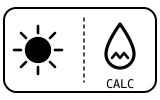
The machine is due for descaling. How often depends on your water hardness and how much you use it; the machine still works for now.
“The descale alert LED will flash when it is due to descale.”
- Which light
- Descale light or symbol
- Colour
- Colour not named by the maker
- Steady or flashing
- Flashing or blinking
What Nespresso says to do
- Plan a descaling soon: if you keep using the machine, the light turns steady and the machine stops (next entry).
- Descaling takes about 15 minutes. You need 500 ml (17 fl oz) of water with Nespresso descaling agent in the tank, and a 1 L (34 fl oz) container under the coffee outlet and steam wand.
- Use only the Nespresso descaling kit; Nespresso says any other product can damage the machine.
Source:
- Nespresso: Creatista Uno — My Machine (user manual): First Use (p. 14), Energy Saving (p. 23), Steam Wand Cleaning (p. 25), Descaling (pp. 26–27) and Troubleshooting (p. 29) — Creatista Uno BNE500, US and Canada manual in English and French (BNE500 CREATISTA UNO USC IB G). www.nespresso.com Checked 2026-10-14.
Descale alert light on steadily, machine will not run
Descale needed
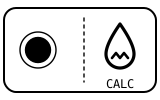
The descale warning was ignored, and the machine now refuses to brew until it is descaled. The troubleshooting table also points to this light when there is no steam or hot water.
“If you continue to use the descale alert LED will be solid on and the machine will stop you from using.”
- Which light
- Descale light or symbol
- Colour
- Colour not named by the maker
- Steady or flashing
- Steady
What Nespresso says to do
- Open and close the capsule lever to remove any used capsule; empty and clean the capsule container, drip tray and water tank, and put them back.
- Put 500 ml (17 fl oz) of water and the descaling agent in the tank, and place a 1 L (34 fl oz) container under the coffee outlet and steam wand.
- With the machine off, press and hold Ristretto and Steam together for 5 seconds, then press Ristretto or Steam to start.
- When it finishes, empty the container, rinse the tank, fill it to MAX with potable water and run the two rinse cycles (press Ristretto or Steam for each).
Source:
- Nespresso: Creatista Uno — My Machine (user manual): First Use (p. 14), Energy Saving (p. 23), Steam Wand Cleaning (p. 25), Descaling (pp. 26–27) and Troubleshooting (p. 29) — Creatista Uno BNE500, US and Canada manual in English and French (BNE500 CREATISTA UNO USC IB G). www.nespresso.com Checked 2026-10-14.
Steam wand alert light on
Cleaning due
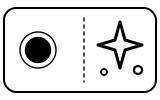
The steam wand needs its full clean: the steam tip comes off and its holes are cleared with the pin tool. Nespresso recommends doing this daily anyway. A blocked tip is one of the causes of no steam.
“It is recommended that you perform this daily or when the steam wand alert LED is on to prevent steam tip blockages.”
- Which light
- Cleaning symbol
- Colour
- Colour not named by the maker
- Steady or flashing
- Steady
What Nespresso says to do
- Remove the pin cleaning tool from the back of the machine, under the water tank.
- Unscrew and remove the steam tip, use the pin tool to clear each hole of the steam tip, then use it to remove the steam tip cap.
- Rinse the tip and cap to remove any milk residue, wipe them with a clean dry cloth and check the seals for damage; put the tip back on the wand.
- Put the pin tool and the water tank back, then press and hold the Steam button for 3 seconds to purge.
Source:
- Nespresso: Creatista Uno — My Machine (user manual): First Use (p. 14), Energy Saving (p. 23), Steam Wand Cleaning (p. 25), Descaling (pp. 26–27) and Troubleshooting (p. 29) — Creatista Uno BNE500, US and Canada manual in English and French (BNE500 CREATISTA UNO USC IB G). www.nespresso.com Checked 2026-10-14.
Steam wand alert light flashing
Cleaning due
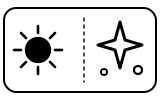
A quick rinse is due, not the full clean. Flashing asks for a purge; steady (above) asks for the tip to come off.
“When it flashes, manually rinse the steam wand by pressing and holding the Steam button for 3 seconds.”
- Which light
- Cleaning symbol
- Colour
- Colour not named by the maker
- Steady or flashing
- Flashing or blinking
What Nespresso says to do
- Press and hold the Steam button for 3 seconds to rinse the wand.
- Do the full clean (above) daily, or when the light stays on.
Source:
- Nespresso: Creatista Uno — My Machine (user manual): First Use (p. 14), Energy Saving (p. 23), Steam Wand Cleaning (p. 25), Descaling (pp. 26–27) and Troubleshooting (p. 29) — Creatista Uno BNE500, US and Canada manual in English and French (BNE500 CREATISTA UNO USC IB G). www.nespresso.com Checked 2026-10-14.
Ristretto and Steam buttons lit together
Mode running
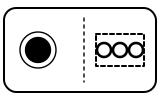
The machine is in descaling mode, waiting for you to start. It gets there when Ristretto and Steam are held together for 5 seconds with the machine off.
“The Ristretto and the Steam buttons will be solid on. Press any button not illuminated to exit the mode.”
- Which light
- Several lights or symbols at once
- Colour
- Colour not named by the maker
- Steady or flashing
- Steady
What Nespresso says to do
- To descale: press Ristretto or Steam to start.
- Got here by mistake: press any button that is not lit to leave the mode.
Source:
- Nespresso: Creatista Uno — My Machine (user manual): First Use (p. 14), Energy Saving (p. 23), Steam Wand Cleaning (p. 25), Descaling (pp. 26–27) and Troubleshooting (p. 29) — Creatista Uno BNE500, US and Canada manual in English and French (BNE500 CREATISTA UNO USC IB G). www.nespresso.com Checked 2026-10-14.
Ristretto and Steam buttons blinking during descaling
Mode running
Descaling is running. Nespresso says the milk froth level light shows how far it has got; the manual gives about 15 minutes for the whole descale.
“Press the Ristretto button or the Steam button to start the descaling process. Both buttons will blink.”
- Which light
- Several lights or symbols at once
- Colour
- Colour not named by the maker
- Steady or flashing
- Flashing or blinking
What Nespresso says to do
- Leave it to run; keep the 1 L container under the coffee outlet and steam wand.
- When it stops, empty the container and the tank and go on to the two rinse cycles.
Source:
- Nespresso: Creatista Uno — My Machine (user manual): First Use (p. 14), Energy Saving (p. 23), Steam Wand Cleaning (p. 25), Descaling (pp. 26–27) and Troubleshooting (p. 29) — Creatista Uno BNE500, US and Canada manual in English and French (BNE500 CREATISTA UNO USC IB G). www.nespresso.com Checked 2026-10-14.
Ristretto and Steam flash 3 times, then the machine turns off
Normal operation
Descaling and both rinse cycles are done; the machine switches itself off.
“When the second rinse cycle is finished, the Ristretto button and the Steam button will flash 3 times, and the machine will be turned off.”
- Which light
- Several lights or symbols at once
- Colour
- Colour not named by the maker
- Steady or flashing
- Flashing or blinking
What Nespresso says to do
- Empty the container, rinse the drip tray and water tank, and put them back on the machine.
Source:
- Nespresso: Creatista Uno — My Machine (user manual): First Use (p. 14), Energy Saving (p. 23), Steam Wand Cleaning (p. 25), Descaling (pp. 26–27) and Troubleshooting (p. 29) — Creatista Uno BNE500, US and Canada manual in English and French (BNE500 CREATISTA UNO USC IB G). www.nespresso.com Checked 2026-10-14.
Near relatives
Machines from the same maker whose lights are close to these, each on its own page from its own manual. A light that looks the same can still mean something else, so check each one.
When Nespresso says to get help
Call the Nespresso Club, or visit Nespresso.com to contact your local service center (the manual’s wording).
Sources
Every line on this page comes from Nespresso’s own documents, read on the date shown. Nothing is taken from third-party manual sites.
- Nespresso: Creatista Uno — My Machine (user manual): First Use (p. 14), Energy Saving (p. 23), Steam Wand Cleaning (p. 25), Descaling (pp. 26–27) and Troubleshooting (p. 29) — Creatista Uno BNE500, US and Canada manual in English and French (BNE500 CREATISTA UNO USC IB G). www.nespresso.com Checked 2026-10-14.