Salus RT room thermostat: what its lights, symbols and messages mean
On a Salus RT room thermostat the flame means heating mode is on, the hand means Manual Mode (the schedule is ignored), the aeroplane means Holiday Mode, the battery means the two AA batteries are low, and the radio-wave aerial is the wireless link to the receiver by the boiler. The snowflake is the one to check by model: Salus lists it as Cooling Mode on the RT520 but as Frost Protection on the RT510, and on the RT310 a snowflake shown beside the flame is frost mode. All of this is from Salus’s own quick guides for the RT520, RT510 and RT310 series.
The symbols are on the thermostat’s LCD screen; the red and green lights are on the receiver wired in by the boiler (RXRT520 or RXRT510), which only the wireless RF and TX versions have. Salus’s UK site lists no RT500RF today (its search found none on 2026-10-16), so that older model is not covered here; its successors’ guides are. Symbols are drawn the same way on the RT510 and RT520, but what a symbol means can differ between them, so each section names the models it applies to.
Flame symbol
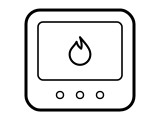
Heating mode is on. Salus lists the flame as “Heating Mode On” on the RT520 and RT510. The RT310 guide (09/2026) splits it in two: the plain flame is heating mode with no demand, and the flame drawn with short rays around it is heating mode with demand, meaning the thermostat is calling for heat.
Applies to: RT520, RT520RF, RT510, RT510RF, RT310 and RT310RF. What you see: a symbol.
What Salus says to do
- It is a status symbol, not a fault. To change the set temperature on an RT310, press up or down: Salus says the heating icon starts blinking, and after a 2-second timeout the screen goes back to the actual room temperature.
A similar symbol on other thermostats, where it can mean something else: Honeywell: “Heat On” or the flame blinking; ecobee: Flame icon orange, or an orange line around the edge; ecobee: Flame icon white (not heating); ecobee: Flame icon with an exclamation mark.
Source:
- Salus Controls: RT520, RT520RF Room Thermostat Quick Guide (08/2026) — RT520, RT520TX and RT520RF with the RXRT520 receiver. saluscontrols.com Checked 2026-10-16.
- Salus Controls: RT510, RT510TX, RT510RF Quick Guide (June 2019, V031) — RT510, RT510TX and RT510RF with the RXRT510 receiver. saluscontrols.com Checked 2026-10-16.
- Salus Controls: RT310, RT310TX, RT310RF Quick Guide (09/2026) — RT310, RT310TX and RT310RF with the RXRT510 receiver. saluscontrols.com Checked 2026-10-16.
Snowflake symbol: cooling on one model, frost protection on another
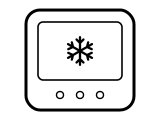
It depends on the model. On the RT520 Salus lists the snowflake as “Cooling Mode On”. On the RT510 it is “Frost Protection Mode On”: the thermostat only holds the frost temperature, 5 °C unless the installer changed it (parameter d03, 5 to 17 °C). On the RT310 the snowflake alone is cooling mode (drawn with rays when there is cooling demand), and the snowflake shown together with the flame is frost mode.
Applies to: RT520 (cooling), RT510 (frost protection), RT310 (cooling, or frost with the flame). What you see: a symbol.
What Salus says to do
- RT510: press the frost protection / holiday button once to turn Frost Protection on, and press it again to turn it off.
- RT310: the snowflake button switches between heating and cooling and turns frost on or off in heating mode; Salus says to long-press it for 5 seconds to choose cooling mode.
A similar symbol on other thermostats, where it can mean something else: Honeywell: “Cool On” or the snowflake blinking; ecobee: Snowflake icon blue, or a blue ring around the edge; ecobee: Snowflake icon white (not cooling).
Source:
- Salus Controls: RT510, RT510TX, RT510RF Quick Guide (June 2019, V031) — RT510, RT510TX and RT510RF with the RXRT510 receiver. saluscontrols.com Checked 2026-10-16.
- Salus Controls: RT520, RT520RF Room Thermostat Quick Guide (08/2026) — RT520, RT520TX and RT520RF with the RXRT520 receiver. saluscontrols.com Checked 2026-10-16.
- Salus Controls: RT310, RT310TX, RT310RF Quick Guide (09/2026) — RT310, RT310TX and RT310RF with the RXRT510 receiver. saluscontrols.com Checked 2026-10-16.
Hand symbol
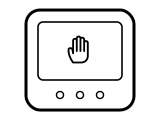
Manual Mode is on. Salus says that in this mode the thermostat does not follow the programmed schedule; it keeps the one temperature you set until you turn Manual Mode off.
Applies to: RT520, RT520RF, RT510 and RT510RF. What you see: a symbol.
What Salus says to do
- Press the MANUAL (hand) button to turn Manual Mode off; Salus says the hand icon then disappears and the schedule runs again.
- While Manual Mode is on, use up or down to set the temperature it holds.
Source:
- Salus Controls: RT510, RT510TX, RT510RF Quick Guide (June 2019, V031) — RT510, RT510TX and RT510RF with the RXRT510 receiver. saluscontrols.com Checked 2026-10-16.
- Salus Controls: RT520, RT520RF Room Thermostat Quick Guide (08/2026) — RT520, RT520TX and RT520RF with the RXRT520 receiver. saluscontrols.com Checked 2026-10-16.
Aeroplane symbol
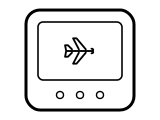
Holiday Mode is on. Salus says the thermostat holds the frost protection temperature (5 °C by default) for the number of days you set, up to 31, instead of running the schedule.
Applies to: RT520, RT520RF, RT510 and RT510RF. What you see: a symbol.
What Salus says to do
- RT510: hold the frost protection / holiday button for 3 seconds to start Holiday Mode, set the number of days with up or down and press SET.
- To turn Holiday Mode off early, hold the same button for 3 seconds again; Salus says the aeroplane icon should then disappear.
Source:
- Salus Controls: RT510, RT510TX, RT510RF Quick Guide (June 2019, V031) — RT510, RT510TX and RT510RF with the RXRT510 receiver. saluscontrols.com Checked 2026-10-16.
- Salus Controls: RT520, RT520RF Room Thermostat Quick Guide (08/2026) — RT520, RT520TX and RT520RF with the RXRT520 receiver. saluscontrols.com Checked 2026-10-16.
Battery symbol
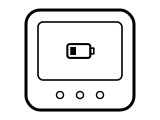
Low battery status: the thermostat’s two AA batteries need changing. Salus warns that if you miss the symbol, the RT510 shuts down.
Applies to: RT520, RT510 and RT310 series (RF and TX thermostats included). What you see: a symbol.
What Salus says to do
- Use only AA 1.5 V alkaline batteries; Salus says not to use rechargeable batteries.
- The RT520 guide says to make sure the AC mains power is switched off before working on any component, including replacing the batteries.
- RT510: it keeps your settings in internal memory for 30 seconds while you swap the batteries.
- RT510: if it has already shut down, take the old batteries out and wait 5 minutes before fitting new ones; otherwise, Salus says, a partly charged part inside can stop it restarting.
A similar symbol on other thermostats, where it can mean something else: Honeywell: BATT with code 405: low battery; Honeywell: Only BATT on the screen, code 407: critically low battery; tado: Low battery symbol; tado: Depleted battery symbol.
Source:
- Salus Controls: RT510, RT510TX, RT510RF Quick Guide (June 2019, V031) — RT510, RT510TX and RT510RF with the RXRT510 receiver. saluscontrols.com Checked 2026-10-16.
- Salus Controls: RT520, RT520RF Room Thermostat Quick Guide (08/2026) — RT520, RT520TX and RT520RF with the RXRT520 receiver. saluscontrols.com Checked 2026-10-16.
- Salus Controls: RT310, RT310TX, RT310RF Quick Guide (09/2026) — RT310, RT310TX and RT310RF with the RXRT510 receiver. saluscontrols.com Checked 2026-10-16.
Aerial with radio waves
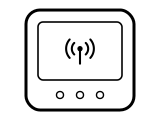
The wireless connection with the receiver by the boiler. Salus calls it “Wireless connection with the receiver” on the RT520 and RT510, and “RF signal indicator (only in RT310RF)” on the RT310. The wired RT520, RT510 and RT310 have no receiver. The guides do not say what it means when the symbol is missing, so this page does not guess.
Applies to: RT520RF, RT520TX, RT510RF, RT510TX and RT310RF. What you see: a symbol.
What Salus says to do
- RT510 and RT310: press the TEST / PAIRING button to check the connection with the receiver, and press it again to go back to the main screen.
- RT520: press MENU, go to the Pairing submenu, choose TEST and press SELECT; Salus says the test takes up to 10 minutes.
Source:
- Salus Controls: RT520, RT520RF Room Thermostat Quick Guide (08/2026) — RT520, RT520TX and RT520RF with the RXRT520 receiver. saluscontrols.com Checked 2026-10-16.
- Salus Controls: RT510, RT510TX, RT510RF Quick Guide (June 2019, V031) — RT510, RT510TX and RT510RF with the RXRT510 receiver. saluscontrols.com Checked 2026-10-16.
- Salus Controls: RT310, RT310TX, RT310RF Quick Guide (09/2026) — RT310, RT310TX and RT310RF with the RXRT510 receiver. saluscontrols.com Checked 2026-10-16.
Spanner and screwdriver symbol
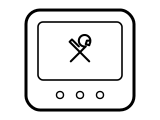
Service Mode is on. A landlord or installer can set a PIN-protected service reminder for the boiler’s annual service; once Service Mode is active, Salus says the thermostat locks the set temperature at the value the installer or landlord chose.
Applies to: RT520 and RT520RF. What you see: a symbol.
What Salus says to do
- Salus says that to unlock it, the landlord needs to be contacted and the boiler serviced.
- A factory reset (MENU, DOWN and BOOST together for 5 seconds) does not clear it: Salus says landlord settings are not reset.
Source:
- Salus Controls: RT520, RT520RF Room Thermostat Quick Guide (08/2026) — RT520, RT520TX and RT520RF with the RXRT520 receiver. saluscontrols.com Checked 2026-10-16.
“+” and a number beside the temperature
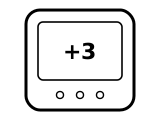
The boost function. On the RT510 it is the hourly temperature override: the number is how many hours (up to 9) the new temperature is held, after which the thermostat goes back to its previous mode. On the RT520 the same corner of the screen is listed as “Boost function”, started with the BOOST button.
Applies to: RT510 and RT510RF (+Hr), RT520 and RT520RF (BOOST). What you see: words.
What Salus says to do
- RT510: press +Hr once per hour you want (three presses for 3 hours) and set the temperature; press +Hr until the number of hours disappears to end it early.
- RT520: press and hold MENU for 3 seconds to turn Boost Mode off.
Source:
- Salus Controls: RT510, RT510TX, RT510RF Quick Guide (June 2019, V031) — RT510, RT510TX and RT510RF with the RXRT510 receiver. saluscontrols.com Checked 2026-10-16.
- Salus Controls: RT520, RT520RF Room Thermostat Quick Guide (08/2026) — RT520, RT520TX and RT520RF with the RXRT520 receiver. saluscontrols.com Checked 2026-10-16.
“HW ON” in the text bar
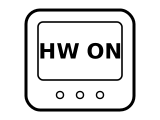
Hot water is in operation. Salus says the text bar shows this when the RT520 is connected to the boiler by OpenTherm and the hot water is on.
Applies to: RT520 and RT520RF wired to an OpenTherm boiler. What you see: words.
What Salus says to do
- To set the hot water temperature: press MENU, go to the Hot Water submenu, press SELECT, set the temperature with up or down and press SELECT.
Source:
- Salus Controls: RT520, RT520RF Room Thermostat Quick Guide (08/2026) — RT520, RT520TX and RT520RF with the RXRT520 receiver. saluscontrols.com Checked 2026-10-16.
Blank screen
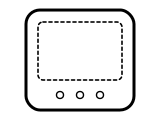
Most likely Sleep mode: Salus says that when Sleep mode is on, all the thermostat’s functions are paused, and the RT310 guide draws it as an empty screen. It is started by holding two buttons together for 3 seconds (up and down in the RT310 drawing). An RT510 that missed its low battery warning also shuts down.
Applies to: RT510, RT510RF, RT310 and RT310RF. What you see: a blank screen.
What Salus says to do
- Press any button to stop Sleep mode; Salus says the thermostat returns to its previous mode.
- If no button wakes it, change the batteries as in the battery section above.
Source:
- Salus Controls: RT310, RT310TX, RT310RF Quick Guide (09/2026) — RT310, RT310TX and RT310RF with the RXRT510 receiver. saluscontrols.com Checked 2026-10-16.
- Salus Controls: RT510, RT510TX, RT510RF Quick Guide (June 2019, V031) — RT510, RT510TX and RT510RF with the RXRT510 receiver. saluscontrols.com Checked 2026-10-16.
Receiver: solid red light
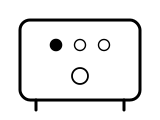
The receiver is powered and, after pairing, paired. Salus says the red LED lights steadily when the receiver is first connected to power, and goes solid red again once the thermostat and receiver are successfully paired.
Applies to: RXRT520 receiver (RT520RF) and RXRT510 receiver (RT510RF, RT310RF). What you see: a light.
What Salus says to do
- An RF pack comes already paired, Salus says; you only pair again if you bought the thermostat and receiver separately or want to re-pair them.
Source:
- Salus Controls: RT520, RT520RF Room Thermostat Quick Guide (08/2026) — RT520, RT520TX and RT520RF with the RXRT520 receiver. saluscontrols.com Checked 2026-10-16.
- Salus Controls: RT510, RT510TX, RT510RF Quick Guide (June 2019, V031) — RT510, RT510TX and RT510RF with the RXRT510 receiver. saluscontrols.com Checked 2026-10-16.
- Salus Controls: RT310, RT310TX, RT310RF Quick Guide (09/2026) — RT310, RT310TX and RT310RF with the RXRT510 receiver. saluscontrols.com Checked 2026-10-16.
Receiver: red light flashing
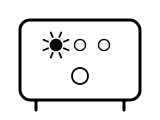
Pairing mode. Salus says the red flashing LED confirms that the receiver has entered pairing mode.
Applies to: RXRT520 receiver (RT520RF) and RXRT510 receiver (RT510RF, RT310RF). What you see: a light.
What Salus says to do
- To get here: with the receiver unpowered, set its switches to AUTO and ON, connect power, wait for the steady red light, then switch to OFF and quickly back to ON.
- Keep the thermostat and receiver at least 1 metre apart (RT520 guide), then start pairing on the thermostat: MENU, Pairing, PAIR on the RT520, or hold TEST / PAIRING for 3 seconds on the RT510 and RT310.
- Pairing takes up to 10 minutes on the RT520 and up to 9 on the RT510 and RT310; the light goes solid red when it is done.
Source:
- Salus Controls: RT520, RT520RF Room Thermostat Quick Guide (08/2026) — RT520, RT520TX and RT520RF with the RXRT520 receiver. saluscontrols.com Checked 2026-10-16.
- Salus Controls: RT510, RT510TX, RT510RF Quick Guide (June 2019, V031) — RT510, RT510TX and RT510RF with the RXRT510 receiver. saluscontrols.com Checked 2026-10-16.
- Salus Controls: RT310, RT310TX, RT310RF Quick Guide (09/2026) — RT310, RT310TX and RT310RF with the RXRT510 receiver. saluscontrols.com Checked 2026-10-16.
Receiver: red and green lights flashing
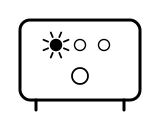
The pairing test is running. Salus says that when you choose TEST in the thermostat’s Pairing menu, the red LED and the green LED on the receiver begin to flash; the test takes up to 10 minutes.
Applies to: RXRT520 receiver (RT520RF). What you see: a light.
What Salus says to do
- Wait for the test to finish. The guide gives no further step for this light.
Source:
- Salus Controls: RT520, RT520RF Room Thermostat Quick Guide (08/2026) — RT520, RT520TX and RT520RF with the RXRT520 receiver. saluscontrols.com Checked 2026-10-16.
Sources
Salus’s own help pages only, read on the date shown. Nothing here comes from third-party “codes explained” sites or forums.
- Salus Controls: RT520, RT520RF Room Thermostat Quick Guide (08/2026) — RT520, RT520TX and RT520RF with the RXRT520 receiver. saluscontrols.com Checked 2026-10-16.
- Salus Controls: RT510, RT510TX, RT510RF Quick Guide (June 2019, V031) — RT510, RT510TX and RT510RF with the RXRT510 receiver. saluscontrols.com Checked 2026-10-16.
- Salus Controls: RT310, RT310TX, RT310RF Quick Guide (09/2026) — RT310, RT310TX and RT310RF with the RXRT510 receiver. saluscontrols.com Checked 2026-10-16.