Skullcandy Dime 3 lights: what each colour and pattern means
Skullcandy Dime 3 has a light on each earbud and one on the case beside the USB-C port. The earbud lights do most of the talking: red in the case means charging, blue for 5 seconds as they go in means they are still full, red for 4 seconds every 10 minutes means the battery is low, pulsing red and blue means pairing, one blue blink means connected and five purple flashes mean a reset worked. The case light only shows its own battery while the cable is plugged in: red for 0–25%, yellow for 26–75%, green for 76–100%.
Skullcandy’s product-help page for the Dime 3 describes every light in its set-up, charging and troubleshooting sections. It gives the case battery bands in percent but no percentages for the earbuds, and it describes the earbuds’ red charging light two ways: “solid red for 5 seconds” in the charging section and “remain RED until fully charged” in the power section. Other Skullcandy models have their own pages and their own lights.
Earbuds solid red in the case
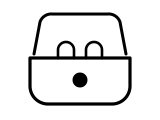
The earbuds are powered off and charging. Skullcandy says the red shows for 5 seconds as they start charging, and elsewhere that it remains red until they are fully charged, then the LEDs turn off.
Applies to: Dime 3 earbud LEDs. What you see: red, steady (solid). What it reports on: the earbuds.
What Skullcandy says to do
- No red light when you put them in? Check that no debris is blocking the charging pins in the case, on the earbud or in the USB-C port, and that the ear gels are not twisted, so the buds sit correctly.
- Check the case battery: if the case is completely drained, the earbuds will not power off and charge when placed in it.
Source:
- Skullcandy Product Help: Dime® 3 — Skullcandy Dime 3 true wireless earbuds. www.skullcandy.com Checked 2026-10-16.
Earbuds blue for 5 seconds in the case
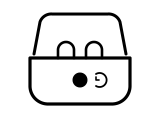
When you place the earbuds back into the case, blue for 5 seconds means they still have a full charge.
Applies to: Dime 3 earbud LEDs. What you see: blue, on for a few seconds, then off. What it reports on: the earbuds.
Skullcandy Product Help gives no step for this light; the meaning above is all it says.
Source:
- Skullcandy Product Help: Dime® 3 — Skullcandy Dime 3 true wireless earbuds. www.skullcandy.com Checked 2026-10-16.
Earbuds blue for 2 seconds out of the case
Powered on: taken out of the case, the earbuds play a “ping” tone and turn blue for 2 seconds.
Applies to: Dime 3 earbud LEDs. What you see: blue, on for a few seconds, then off. What it reports on: the earbuds.
Skullcandy Product Help gives no step for this light; the meaning above is all it says.
Source:
- Skullcandy Product Help: Dime® 3 — Skullcandy Dime 3 true wireless earbuds. www.skullcandy.com Checked 2026-10-16.
Earbuds red for 4 seconds every 10 minutes
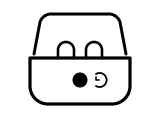
Low battery. It starts with the “Battery Low” voice prompt, about 40 minutes of play time before the earbuds power off, and repeats every 10 minutes.
Applies to: Dime 3 earbud LEDs. What you see: red, on for a few seconds, then off. What it reports on: the earbuds.
What Skullcandy says to do
- Put them in the case: 10 minutes of charging gives 2+ hours of play time.
Source:
- Skullcandy Product Help: Dime® 3 — Skullcandy Dime 3 true wireless earbuds. www.skullcandy.com Checked 2026-10-16.
Earbuds pulsing red and blue
Pairing mode, with the voice prompt “Ready to pair”. They enter it on their own the first time you take them out, after a reset, or when you hold either earbud’s button for 3 seconds to add a second device.
Applies to: Dime 3 earbud LEDs. What you see: red and blue, pulsing, breathing or bouncing. What it reports on: pairing, reset or an error.
What Skullcandy says to do
- Turn on your device’s Bluetooth, select “Dime 3” and accept the “Pair” or “OK” prompt.
Source:
- Skullcandy Product Help: Dime® 3 — Skullcandy Dime 3 true wireless earbuds. www.skullcandy.com Checked 2026-10-16.
Earbuds blink blue once
Connected: both earbuds blink blue one time with the “Connected” voice prompt.
Applies to: Dime 3 earbud LEDs. What you see: blue, flashing or blinking. What it reports on: pairing, reset or an error.
Skullcandy Product Help gives no step for this light; the meaning above is all it says.
Source:
- Skullcandy Product Help: Dime® 3 — Skullcandy Dime 3 true wireless earbuds. www.skullcandy.com Checked 2026-10-16.
Slow red and blue flashing, then four quick blue flashes
The two earbuds are re-syncing with each other; the four quick blue flashes mean the sync worked. Skullcandy uses this when sound comes from one ear only.
Applies to: Dime 3 earbud LEDs. What you see: red and blue, flashing or blinking. What it reports on: pairing, reset or an error.
What Skullcandy says to do
- Turn your device’s Bluetooth off, take both earbuds out so they power on, and press the button on both earbuds four times at the same time.
- After the four quick blue flashes, turn Bluetooth back on and select your previously paired “Dime 3”.
Source:
- Skullcandy Product Help: Dime® 3 — Skullcandy Dime 3 true wireless earbuds. www.skullcandy.com Checked 2026-10-16.
Earbuds flash purple five times
The reset worked: the paired-device list is cleared, a tone plays and the earbuds go back into pairing mode (red and blue).
Applies to: Dime 3 earbud LEDs. What you see: pink or purple, flashing or blinking. What it reports on: pairing, reset or an error.
What Skullcandy says to do
- To reset, remove Dime 3 from your device’s Bluetooth list and turn Bluetooth off, take both earbuds out, then hold the button on both for 6 seconds until you hear two tones.
Source:
- Skullcandy Product Help: Dime® 3 — Skullcandy Dime 3 true wireless earbuds. www.skullcandy.com Checked 2026-10-16.
Case light solid red
The case battery is at 0 to 25%.
Applies to: Dime 3 case LED, cable plugged in. What you see: red, steady (solid). What it reports on: the case.
What Skullcandy says to do
- Keep it on the cable: a 10-minute charge gives 2+ hours of play time, and about 1 hour charges the case to 100%.
Source:
- Skullcandy Product Help: Dime® 3 — Skullcandy Dime 3 true wireless earbuds. www.skullcandy.com Checked 2026-10-16.
Case light solid yellow
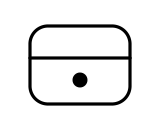
The case battery is at 26 to 75%.
Applies to: Dime 3 case LED, cable plugged in. What you see: yellow, steady (solid). What it reports on: the case.
Skullcandy Product Help gives no step for this light; the meaning above is all it says.
Source:
- Skullcandy Product Help: Dime® 3 — Skullcandy Dime 3 true wireless earbuds. www.skullcandy.com Checked 2026-10-16.
Case light solid green
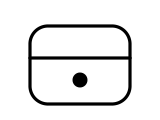
The case battery is at 76 to 100%.
Applies to: Dime 3 case LED, cable plugged in. What you see: green, steady (solid). What it reports on: the case.
Skullcandy Product Help gives no step for this light; the meaning above is all it says.
Source:
- Skullcandy Product Help: Dime® 3 — Skullcandy Dime 3 true wireless earbuds. www.skullcandy.com Checked 2026-10-16.
Sources
Skullcandy’s own support pages only, read on the date shown. Nothing here comes from third-party “lights explained” sites.
- Skullcandy Product Help: Dime® 3 — Skullcandy Dime 3 true wireless earbuds. www.skullcandy.com Checked 2026-10-16.