Nothing Ear (2) lights: what each colour and pattern means
The Nothing Ear (2) case has one indicator, and Nothing’s support article gives it seven states in white, red or no light. White means charging (flashing), full (steady), pairing (flashing) or a battery at 30% or more (on for 2 seconds); red means under 30% (on for 2 seconds) or a finished reset (three red flashes); no light at all means the battery is extremely low, under 5%. Flashing white is the one to watch: Nothing words charging and pairing the same way.
Nothing’s article lists each state in one line and does not say whether the battery lights report on the case or on the earbuds, nor how to tell charging from pairing when both flash white. The reset steps come from Nothing’s separate “How do I reset Ear (2)?” article. Other Nothing and CMF models use different lights: see Left out on the earbuds page.
Flashing white while charging
Charging. Nothing’s article words this exactly like pairing (“flashes white”) and does not say how to tell the two apart.
Applies to: Ear (2) case indicator. What you see: white, flashing or blinking. What it reports on: the case.
Nothing Support Centre gives no step for this light; the meaning above is all it says.
Source:
- Nothing Support Centre: What does the colour of the charging case indicator mean? — Nothing Ear (2). support.nothing.tech Read in a browser; the site refuses a plain fetch (HTTP 403). Checked 2026-10-16.
Steady white
Fully charged.
Applies to: Ear (2) case indicator. What you see: white, steady (solid). What it reports on: the case.
Nothing Support Centre gives no step for this light; the meaning above is all it says.
Source:
- Nothing Support Centre: What does the colour of the charging case indicator mean? — Nothing Ear (2). support.nothing.tech Read in a browser; the site refuses a plain fetch (HTTP 403). Checked 2026-10-16.
Flashing white for pairing
Pairing: the earbuds are ready to connect to a new device. The same words as for charging.
Applies to: Ear (2) case indicator. What you see: white, flashing or blinking. What it reports on: pairing, reset or an error.
Nothing Support Centre gives no step for this light; the meaning above is all it says.
Source:
- Nothing Support Centre: What does the colour of the charging case indicator mean? — Nothing Ear (2). support.nothing.tech Read in a browser; the site refuses a plain fetch (HTTP 403). Checked 2026-10-16.
White for 2 seconds
Battery at 30% or more. Nothing does not say whether the case’s or the earbuds’ battery.
Applies to: Ear (2) case indicator. What you see: white, on for a few seconds, then off. What it reports on: the earbuds or the case.
Nothing Support Centre gives no step for this light; the meaning above is all it says.
Source:
- Nothing Support Centre: What does the colour of the charging case indicator mean? — Nothing Ear (2). support.nothing.tech Read in a browser; the site refuses a plain fetch (HTTP 403). Checked 2026-10-16.
Red for 2 seconds
Battery below 30%. Nothing does not say whether the case’s or the earbuds’ battery.
Applies to: Ear (2) case indicator. What you see: red, on for a few seconds, then off. What it reports on: the earbuds or the case.
Nothing Support Centre gives no step for this light; the meaning above is all it says.
Source:
- Nothing Support Centre: What does the colour of the charging case indicator mean? — Nothing Ear (2). support.nothing.tech Read in a browser; the site refuses a plain fetch (HTTP 403). Checked 2026-10-16.
No light
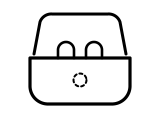
Extremely low battery, under 5%: the indicator stays dark.
Applies to: Ear (2) case indicator. What you see: no light, off. What it reports on: the earbuds or the case.
Nothing Support Centre gives no step for this light; the meaning above is all it says.
Source:
- Nothing Support Centre: What does the colour of the charging case indicator mean? — Nothing Ear (2). support.nothing.tech Read in a browser; the site refuses a plain fetch (HTTP 403). Checked 2026-10-16.
Flashes red three times
Reset: Ear (2) has been reset to its factory state.
Applies to: Ear (2) case indicator. What you see: red, flashing or blinking. What it reports on: pairing, reset or an error.
What Nothing says to do
- To reset, place the earbuds into the case and open the lid.
- Press the case button for 10 seconds. After the indicator flashes red three times, Ear (2) is reset.
Source:
- Nothing Support Centre: What does the colour of the charging case indicator mean? — Nothing Ear (2). support.nothing.tech Read in a browser; the site refuses a plain fetch (HTTP 403). Checked 2026-10-16.
- Nothing Support Centre: How do I reset Ear (2)? — Nothing Ear (2). support.nothing.tech Read in a browser. Checked 2026-10-16.
Sources
Nothing’s own support pages only, read on the date shown. Nothing here comes from third-party “lights explained” sites.
- Nothing Support Centre: What does the colour of the charging case indicator mean? — Nothing Ear (2). support.nothing.tech Read in a browser; the site refuses a plain fetch (HTTP 403). Checked 2026-10-16.
- Nothing Support Centre: How do I reset Ear (2)? — Nothing Ear (2). support.nothing.tech Read in a browser. Checked 2026-10-16.