JLab JBuds Mini ANC and GO Sport ANC lights: what each colour and pattern means
JLab’s JBuds Mini ANC and GO Sport ANC share one light scheme, worded the same in JLab’s own charging guide for each: blue for charge and charging, red only for a low case. In the case, the earbuds pulse blue while they charge. Open the lid or drop the buds in and the case light shows the case’s own battery: solid blue for 100% to 30%, four red blinks for under 30%. On a USB-C cable the case pulses blue while it charges and turns solid blue when full. Out of the case, one earbud steady and the other blinking white and blue means they are waiting to pair.
JLab’s help centre (help.jlab.com) has a “Charging Guide and LED Battery Indicators” page and a pairing and reset page for each of these two models. The light wording is the same for both; the one difference is the case’s USB-C port, on the left side of the JBuds Mini ANC case and on the back of the GO Sport ANC case. JLab gives no light for a fault, for heat, or for a case that will not charge, and no percentages for the earbuds themselves (the JLab app shows those). Its pages disagree on one point: the pairing steps say one earbud stays solid white while the other blinks white and blue, the reset steps say solid blue; both are given below as JLab words them. Most other JLab earbuds have no light text on their support pages; they are listed as left out on the earbuds hub.
Earbuds pulsing blue in the case
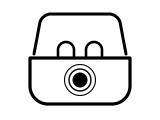
The earbuds are actively charging. JLab’s pairing steps for both models add that on first unboxing, once the pull tab is out, the case and earbuds pulse blue to show they are charging.
Applies to: JBuds Mini ANC and GO Sport ANC earbuds, seated in the case. What you see: blue, pulsing, breathing or bouncing. What it reports on: the earbuds.
What JLab says to do
- No light the first time? Remove the pull tab after unboxing: the earbuds do not charge until it is out.
- Make sure the earbuds are fully seated in the case to start charging.
Source:
- JLab Support: JBuds Mini ANC Charging Guide and LED Battery Indicators — JLab JBuds Mini ANC true wireless earbuds. help.jlab.com Checked 2026-10-16.
- JLab Support: GO Sport ANC Charging Guide and LED Battery Indicators — JLab GO Sport ANC true wireless earbuds. help.jlab.com Checked 2026-10-16.
- JLab Support: How to Pair and Connect JBuds Mini ANC — JLab JBuds Mini ANC true wireless earbuds. help.jlab.com Checked 2026-10-16.
- JLab Support: How to Pair, Connect, and Reset GO Sport ANC — JLab GO Sport ANC true wireless earbuds. help.jlab.com Checked 2026-10-16.
Case solid blue when you open the lid
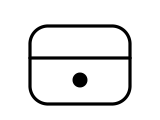
The case battery is somewhere between 100% and 30%. JLab gives no finer steps than that.
Applies to: JBuds Mini ANC and GO Sport ANC case light, shown when the lid is opened or the earbuds are put in. What you see: blue, steady (solid). What it reports on: the case.
What JLab says to do
- To see the left earbud, the right earbud and the case as separate levels, open the JLab app for iOS or Android, which shows all three.
Source:
- JLab Support: JBuds Mini ANC Charging Guide and LED Battery Indicators — JLab JBuds Mini ANC true wireless earbuds. help.jlab.com Checked 2026-10-16.
- JLab Support: GO Sport ANC Charging Guide and LED Battery Indicators — JLab GO Sport ANC true wireless earbuds. help.jlab.com Checked 2026-10-16.
Case blinks red 4 times
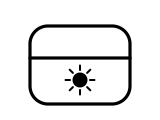
The case battery is below 30%.
Applies to: JBuds Mini ANC and GO Sport ANC case light, shown when the lid is opened or the earbuds are put in. What you see: red, flashing or blinking. What it reports on: the case.
What JLab says to do
- Plug a USB-C cable into the case to charge it: the port is on the left side of the JBuds Mini ANC case and on the back of the GO Sport ANC case.
- A higher-wattage USB charger, such as a phone or laptop charger, is fine: JLab says the 5V ⎓ 1A rating is the most the case will draw, not a limit on the charger.
Source:
- JLab Support: JBuds Mini ANC Charging Guide and LED Battery Indicators — JLab JBuds Mini ANC true wireless earbuds. help.jlab.com Checked 2026-10-16.
- JLab Support: GO Sport ANC Charging Guide and LED Battery Indicators — JLab GO Sport ANC true wireless earbuds. help.jlab.com Checked 2026-10-16.
Case pulsing blue on a USB-C cable
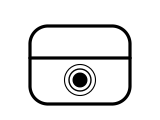
The case is actively charging.
Applies to: JBuds Mini ANC and GO Sport ANC case light, with a USB-C cable plugged in. What you see: blue, pulsing, breathing or bouncing. What it reports on: the case.
JLab Support gives no step for this light; the meaning above is all it says.
Source:
- JLab Support: JBuds Mini ANC Charging Guide and LED Battery Indicators — JLab JBuds Mini ANC true wireless earbuds. help.jlab.com Checked 2026-10-16.
- JLab Support: GO Sport ANC Charging Guide and LED Battery Indicators — JLab GO Sport ANC true wireless earbuds. help.jlab.com Checked 2026-10-16.
Case solid blue on a USB-C cable
The case is fully charged. Off the cable, the same solid blue on opening the lid only tells you the case has 30% or more.
Applies to: JBuds Mini ANC and GO Sport ANC case light, with a USB-C cable plugged in. What you see: blue, steady (solid). What it reports on: the case.
JLab Support gives no step for this light; the meaning above is all it says.
Source:
- JLab Support: JBuds Mini ANC Charging Guide and LED Battery Indicators — JLab JBuds Mini ANC true wireless earbuds. help.jlab.com Checked 2026-10-16.
- JLab Support: GO Sport ANC Charging Guide and LED Battery Indicators — JLab GO Sport ANC true wireless earbuds. help.jlab.com Checked 2026-10-16.
One earbud solid white, the other blinking white and blue
The earbuds are in pairing mode. Taking them out of the case is what starts it; they appear in your phone’s Bluetooth list as “JLab JBuds Mini ANC” or “JLab GO Sport ANC”.
Applies to: JBuds Mini ANC and GO Sport ANC earbuds, just taken out of the case. What you see: white and blue, steady (solid) or flashing or blinking. What it reports on: pairing, reset or an error.
What JLab says to do
- Select the earbuds in your device’s Bluetooth settings.
- For a second device at the same time (multipoint): pair the first device, turn its Bluetooth off so the earbuds go back into pairing mode, pair the second device, then turn Bluetooth on again on the first and tap the earbuds’ entry there.
- If the earbuds will not pair together, only one connects, or they show up as two separate devices, do the factory reset in the next light.
Source:
- JLab Support: How to Pair and Connect JBuds Mini ANC — JLab JBuds Mini ANC true wireless earbuds. help.jlab.com Checked 2026-10-16.
- JLab Support: How to Pair, Connect, and Reset GO Sport ANC — JLab GO Sport ANC true wireless earbuds. help.jlab.com Checked 2026-10-16.
After a reset: one earbud solid blue, the other blinking white and blue
The factory reset worked: the left and right earbuds are linked to each other again and wait to be paired as one device. JLab’s reset steps call the steady earbud solid blue here; its pairing steps call it solid white.
Applies to: JBuds Mini ANC and GO Sport ANC earbuds, taken out of the case after a factory reset. What you see: blue and white, steady (solid) or flashing or blinking. What it reports on: pairing, reset or an error.
What JLab says to do
- Forget “JLab JBuds Mini ANC” or “JLab GO Sport ANC” in your device’s Bluetooth settings.
- With both earbuds in the case, tap one earbud 7 times until a short chime plays, then tap the other earbud 7 times until it chimes.
- Take both earbuds out and select the earbuds in your Bluetooth settings; they should now appear as one device, not two.
Source:
- JLab Support: JBuds Mini ANC Factory Reset — JLab JBuds Mini ANC true wireless earbuds. help.jlab.com Checked 2026-10-16.
- JLab Support: How to Pair, Connect, and Reset GO Sport ANC — JLab GO Sport ANC true wireless earbuds. help.jlab.com Checked 2026-10-16.
Sources
JLab’s own support pages only, read on the date shown. Nothing here comes from third-party “lights explained” sites.
- JLab Support: JBuds Mini ANC Charging Guide and LED Battery Indicators — JLab JBuds Mini ANC true wireless earbuds. help.jlab.com Checked 2026-10-16.
- JLab Support: GO Sport ANC Charging Guide and LED Battery Indicators — JLab GO Sport ANC true wireless earbuds. help.jlab.com Checked 2026-10-16.
- JLab Support: How to Pair and Connect JBuds Mini ANC — JLab JBuds Mini ANC true wireless earbuds. help.jlab.com Checked 2026-10-16.
- JLab Support: JBuds Mini ANC Factory Reset — JLab JBuds Mini ANC true wireless earbuds. help.jlab.com Checked 2026-10-16.
- JLab Support: How to Pair, Connect, and Reset GO Sport ANC — JLab GO Sport ANC true wireless earbuds. help.jlab.com Checked 2026-10-16.