Jabra Elite 8 Active and Elite 10 (Gen 1 and Gen 2) lights: what each colour and pattern means
Jabra’s Elite 8 Active and Elite 10, first and second generation, light the case the same way: one LED inside the case for the earbuds and one on the front for the case itself. Green, yellow and red are high, medium and low battery; flashing means the case is charging; flashing pink is a reset or a firmware update; flashing red is a low case on the charger, a critically low case off it, or a failed firmware update. The Gen 2 Smart case adds two lights of its own: flashing blue for pairing and white for audio streaming from a cable.
Each of the four models has its own user manual on www.jabra.com (a PDF linked from its support page) with a section 5, “What the LEDs mean”. That chart is a drawing whose labels are text; the manual text itself names the colours: red, yellow or green for battery, a flash on a charging pad, flashing blue for pairing (Gen 2), flashing pink for a reset or update, flashing red for a failed update, flashing white for streaming (Gen 2), and LEDs off on a pad when full. Where only the chart gives a colour, the light below says so. Jabra gives no percentages for high, medium and low, and the four manuals word every light the same, except that the Elite 10 manuals say the failed-update red flashes slowly. The Elite 3, 4 and 5 put the battery lights on the earbuds instead; they are covered by the Jabra Elite 5 page.
Solid green

High battery. With the lid open, the LED inside the case shows the earbuds’ battery and the LED on the front shows the case’s own. Jabra’s text says these LEDs light up red, yellow or green for battery status; its chart puts green at high. On a USB cable, a front LED that stops flashing and stays solid green means the case is fully charged.
Applies to: Elite 8 Active, Elite 10, Elite 8 Active Gen 2 and Elite 10 Gen 2: the LED inside the case (lid open, earbuds in) and the LED on the front of the case. What you see: green, steady (solid). What it reports on: the earbuds or the case.
What Jabra says to do
- For a percentage for each earbud and the case, open the Jabra Sound+ app while the earbuds are connected: Jabra gives none for high, medium or low.
Source:
- Jabra: Jabra Elite 8 Active User manual (sections 4 to 7 and 9; section 5 “What the LEDs mean”) — Jabra Elite 8 Active (first generation). www.jabra.com Checked 2026-10-17.
- Jabra: Jabra Elite 10 User manual (sections 4 to 7 and 9; section 5 “What the LEDs mean”) — Jabra Elite 10 (first generation). www.jabra.com Checked 2026-10-17.
- Jabra: Jabra Elite 8 Active Gen 2 User manual (sections 4 to 7 and 9; section 5 “What the LEDs mean”) — Jabra Elite 8 Active Gen 2. www.jabra.com Checked 2026-10-17.
- Jabra: Jabra Elite 10 Gen 2 User manual (sections 4 to 7 and 9; section 5 “What the LEDs mean”) — Jabra Elite 10 Gen 2. www.jabra.com Checked 2026-10-17.
Solid yellow

Medium battery: the earbuds’ if it is the LED inside the open case, the case’s if it is the LED on the front. Jabra’s text names yellow among the battery colours; its chart puts yellow at medium.
Applies to: Elite 8 Active, Elite 10, Elite 8 Active Gen 2 and Elite 10 Gen 2: the LED inside the case (earbuds) or on its front (the case). What you see: yellow, steady (solid). What it reports on: the earbuds or the case.
Jabra gives no step for this light; the meaning above is all it says.
Source:
- Jabra: Jabra Elite 8 Active User manual (sections 4 to 7 and 9; section 5 “What the LEDs mean”) — Jabra Elite 8 Active (first generation). www.jabra.com Checked 2026-10-17.
- Jabra: Jabra Elite 10 User manual (sections 4 to 7 and 9; section 5 “What the LEDs mean”) — Jabra Elite 10 (first generation). www.jabra.com Checked 2026-10-17.
- Jabra: Jabra Elite 8 Active Gen 2 User manual (sections 4 to 7 and 9; section 5 “What the LEDs mean”) — Jabra Elite 8 Active Gen 2. www.jabra.com Checked 2026-10-17.
- Jabra: Jabra Elite 10 Gen 2 User manual (sections 4 to 7 and 9; section 5 “What the LEDs mean”) — Jabra Elite 10 Gen 2. www.jabra.com Checked 2026-10-17.
Solid red

Low battery: the earbuds’ if it is the LED inside the open case, the case’s if it is the LED on the front. Jabra’s chart puts steady red at low; a red that flashes means something else (see flashing red below).
Applies to: Elite 8 Active, Elite 10, Elite 8 Active Gen 2 and Elite 10 Gen 2: the LED inside the case (earbuds) or on its front (the case). What you see: red, steady (solid). What it reports on: the earbuds or the case.
What Jabra says to do
- Close the earbuds in the case: a full recharge takes up to 3 hours.
- Five minutes in the case fast-charges low earbuds for up to 1 hour of use, but only if the case has at least 30% battery.
Source:
- Jabra: Jabra Elite 8 Active User manual (sections 4 to 7 and 9; section 5 “What the LEDs mean”) — Jabra Elite 8 Active (first generation). www.jabra.com Checked 2026-10-17.
- Jabra: Jabra Elite 10 User manual (sections 4 to 7 and 9; section 5 “What the LEDs mean”) — Jabra Elite 10 (first generation). www.jabra.com Checked 2026-10-17.
- Jabra: Jabra Elite 8 Active Gen 2 User manual (sections 4 to 7 and 9; section 5 “What the LEDs mean”) — Jabra Elite 8 Active Gen 2. www.jabra.com Checked 2026-10-17.
- Jabra: Jabra Elite 10 Gen 2 User manual (sections 4 to 7 and 9; section 5 “What the LEDs mean”) — Jabra Elite 10 Gen 2. www.jabra.com Checked 2026-10-17.
Front LED flashing green on a cable or charging pad
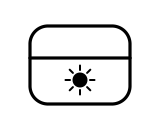
The case is charging and its battery is high. Jabra’s text says that on a Jabra wireless charging pad the case LED flashes to show the case is placed correctly; its chart draws the flash in green, yellow or red for the case’s level, on a cable and on a pad alike.
Applies to: Elite 8 Active, Elite 10, Elite 8 Active Gen 2 and Elite 10 Gen 2 case, on a USB-C cable or a wireless charging pad. What you see: green, flashing or blinking. What it reports on: the case.
What Jabra says to do
- Charging the case and earbuds fully takes up to 3 hours, by USB-C cable or on the pad.
- Jabra says the case uses the standard USB 5V ±0.25V and advises against a power supply with a higher voltage.
Source:
- Jabra: Jabra Elite 8 Active User manual (sections 4 to 7 and 9; section 5 “What the LEDs mean”) — Jabra Elite 8 Active (first generation). www.jabra.com Checked 2026-10-17.
- Jabra: Jabra Elite 10 User manual (sections 4 to 7 and 9; section 5 “What the LEDs mean”) — Jabra Elite 10 (first generation). www.jabra.com Checked 2026-10-17.
- Jabra: Jabra Elite 8 Active Gen 2 User manual (sections 4 to 7 and 9; section 5 “What the LEDs mean”) — Jabra Elite 8 Active Gen 2. www.jabra.com Checked 2026-10-17.
- Jabra: Jabra Elite 10 Gen 2 User manual (sections 4 to 7 and 9; section 5 “What the LEDs mean”) — Jabra Elite 10 Gen 2. www.jabra.com Checked 2026-10-17.
Front LED flashing yellow on a cable or charging pad
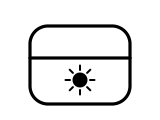
The case is charging and its battery is medium (Jabra’s chart). On a charging pad, a flash also tells you the case is placed correctly, as Jabra’s text puts it; put the case in the centre of the pad.
Applies to: Elite 8 Active, Elite 10, Elite 8 Active Gen 2 and Elite 10 Gen 2 case, on a USB-C cable or a wireless charging pad. What you see: yellow, flashing or blinking. What it reports on: the case.
Jabra gives no step for this light; the meaning above is all it says.
Source:
- Jabra: Jabra Elite 8 Active User manual (sections 4 to 7 and 9; section 5 “What the LEDs mean”) — Jabra Elite 8 Active (first generation). www.jabra.com Checked 2026-10-17.
- Jabra: Jabra Elite 10 User manual (sections 4 to 7 and 9; section 5 “What the LEDs mean”) — Jabra Elite 10 (first generation). www.jabra.com Checked 2026-10-17.
- Jabra: Jabra Elite 8 Active Gen 2 User manual (sections 4 to 7 and 9; section 5 “What the LEDs mean”) — Jabra Elite 8 Active Gen 2. www.jabra.com Checked 2026-10-17.
- Jabra: Jabra Elite 10 Gen 2 User manual (sections 4 to 7 and 9; section 5 “What the LEDs mean”) — Jabra Elite 10 Gen 2. www.jabra.com Checked 2026-10-17.
Front LED flashing red
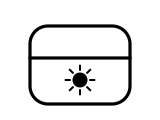
Jabra uses a flashing red on the case for three things. On a cable or a charging pad, its chart shows it as charging with low battery. Off the charger, the chart calls it critically low battery, with the earbuds not charging. And the manual text says the case LED flashes red if a firmware update fails; the Elite 10 and Elite 10 Gen 2 manuals say it flashes slowly.
Applies to: Elite 8 Active, Elite 10, Elite 8 Active Gen 2 and Elite 10 Gen 2 case LED. What you see: red, flashing or blinking. What it reports on: the case or pairing, reset or an error.
What Jabra says to do
- Plug the case in or put it on a charging pad.
- After a failed firmware update: connect the case to power, take the earbuds out, put them back in the case and close the lid. Jabra says the update then restarts.
Source:
- Jabra: Jabra Elite 8 Active User manual (sections 4 to 7 and 9; section 5 “What the LEDs mean”) — Jabra Elite 8 Active (first generation). www.jabra.com Checked 2026-10-17.
- Jabra: Jabra Elite 10 User manual (sections 4 to 7 and 9; section 5 “What the LEDs mean”) — Jabra Elite 10 (first generation). www.jabra.com Checked 2026-10-17.
- Jabra: Jabra Elite 8 Active Gen 2 User manual (sections 4 to 7 and 9; section 5 “What the LEDs mean”) — Jabra Elite 8 Active Gen 2. www.jabra.com Checked 2026-10-17.
- Jabra: Jabra Elite 10 Gen 2 User manual (sections 4 to 7 and 9; section 5 “What the LEDs mean”) — Jabra Elite 10 Gen 2. www.jabra.com Checked 2026-10-17.
No light on a charging pad
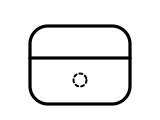
Fully charged. Jabra’s text: when fully charged, the LEDs on the case and on the wireless charging pad turn off. On a USB cable the case instead shows solid green when full.
Applies to: Elite 8 Active, Elite 10, Elite 8 Active Gen 2 and Elite 10 Gen 2 case, on a Jabra wireless charging pad. What you see: no light, off. What it reports on: the case.
Jabra gives no step for this light; the meaning above is all it says.
Source:
- Jabra: Jabra Elite 8 Active User manual (sections 4 to 7 and 9; section 5 “What the LEDs mean”) — Jabra Elite 8 Active (first generation). www.jabra.com Checked 2026-10-17.
- Jabra: Jabra Elite 10 User manual (sections 4 to 7 and 9; section 5 “What the LEDs mean”) — Jabra Elite 10 (first generation). www.jabra.com Checked 2026-10-17.
- Jabra: Jabra Elite 8 Active Gen 2 User manual (sections 4 to 7 and 9; section 5 “What the LEDs mean”) — Jabra Elite 8 Active Gen 2. www.jabra.com Checked 2026-10-17.
- Jabra: Jabra Elite 10 Gen 2 User manual (sections 4 to 7 and 9; section 5 “What the LEDs mean”) — Jabra Elite 10 Gen 2. www.jabra.com Checked 2026-10-17.
Flashing pink (the chart draws it purple)
A reset or a firmware update is running. The LED inside the case flashes pink while the earbuds reset, and the case LED flashes pink while firmware updates, including when a replacement case first syncs with your earbuds. Jabra’s text says pink; its chart draws the colour purple.
Applies to: Elite 8 Active, Elite 10, Elite 8 Active Gen 2 and Elite 10 Gen 2: the LED inside the case (reset) or the case LED (firmware update). What you see: pink or purple, flashing or blinking. What it reports on: pairing, reset or an error.
What Jabra says to do
- To reset: put both earbuds in the case, hold the Left and Right buttons for 10 seconds until the LED inside flashes pink, then close the lid for 5 seconds. Delete the earbuds from your phone’s Bluetooth list before pairing again.
- With a replacement case: put your earbuds in it and close the lid for 10 seconds; if the LED flashes pink, wait until it stops before opening the case. Jabra says to charge the new case for 1 hour before first use.
Source:
- Jabra: Jabra Elite 8 Active User manual (sections 4 to 7 and 9; section 5 “What the LEDs mean”) — Jabra Elite 8 Active (first generation). www.jabra.com Checked 2026-10-17.
- Jabra: Jabra Elite 10 User manual (sections 4 to 7 and 9; section 5 “What the LEDs mean”) — Jabra Elite 10 (first generation). www.jabra.com Checked 2026-10-17.
- Jabra: Jabra Elite 8 Active Gen 2 User manual (sections 4 to 7 and 9; section 5 “What the LEDs mean”) — Jabra Elite 8 Active Gen 2. www.jabra.com Checked 2026-10-17.
- Jabra: Jabra Elite 10 Gen 2 User manual (sections 4 to 7 and 9; section 5 “What the LEDs mean”) — Jabra Elite 10 Gen 2. www.jabra.com Checked 2026-10-17.
Flashing blue inside the case (Gen 2)
Pairing mode, started from the Smart case: with the lid open and the earbuds inside, holding the Smart case button for 3 seconds makes the LED inside flash blue, and the earbuds are ready to pair. The first-generation Elite 8 Active and Elite 10 pair from the earbud buttons, and their manuals give a voice notification for it, not a light.
Applies to: Elite 8 Active Gen 2 and Elite 10 Gen 2 only, the LED inside the Smart case. What you see: blue, flashing or blinking. What it reports on: pairing, reset or an error.
What Jabra says to do
- Choose the earbuds in your phone’s Bluetooth menu, then take them out of the case.
Source:
- Jabra: Jabra Elite 8 Active Gen 2 User manual (sections 4 to 7 and 9; section 5 “What the LEDs mean”) — Jabra Elite 8 Active Gen 2. www.jabra.com Checked 2026-10-17.
- Jabra: Jabra Elite 10 Gen 2 User manual (sections 4 to 7 and 9; section 5 “What the LEDs mean”) — Jabra Elite 10 Gen 2. www.jabra.com Checked 2026-10-17.
White light on the front of the case (Gen 2)
Audio streaming from the Smart case is on: with the case plugged into a device by its USB-C cable (or the cable’s 3.5 mm adapter), pressing the Smart case button sends that device’s sound to the earbuds, and you hear a tone. The manual text says the LED flashes white; the chart draws a steady white.
Applies to: Elite 8 Active Gen 2 and Elite 10 Gen 2 only, the LED on the front of the Smart case. What you see: white, flashing or blinking or steady (solid). What it reports on: pairing, reset or an error.
What Jabra says to do
- Press the Smart case button again to stop streaming.
- If nothing plays, Jabra says to check with the device’s maker that the port supports audio output.
Source:
- Jabra: Jabra Elite 8 Active Gen 2 User manual (sections 4 to 7 and 9; section 5 “What the LEDs mean”) — Jabra Elite 8 Active Gen 2. www.jabra.com Checked 2026-10-17.
- Jabra: Jabra Elite 10 Gen 2 User manual (sections 4 to 7 and 9; section 5 “What the LEDs mean”) — Jabra Elite 10 Gen 2. www.jabra.com Checked 2026-10-17.
Sources
Jabra’s own support pages only, read on the date shown. Nothing here comes from third-party “lights explained” sites.
- Jabra: Jabra Elite 8 Active User manual (sections 4 to 7 and 9; section 5 “What the LEDs mean”) — Jabra Elite 8 Active (first generation). www.jabra.com Checked 2026-10-17.
- Jabra: Jabra Elite 10 User manual (sections 4 to 7 and 9; section 5 “What the LEDs mean”) — Jabra Elite 10 (first generation). www.jabra.com Checked 2026-10-17.
- Jabra: Jabra Elite 8 Active Gen 2 User manual (sections 4 to 7 and 9; section 5 “What the LEDs mean”) — Jabra Elite 8 Active Gen 2. www.jabra.com Checked 2026-10-17.
- Jabra: Jabra Elite 10 Gen 2 User manual (sections 4 to 7 and 9; section 5 “What the LEDs mean”) — Jabra Elite 10 Gen 2. www.jabra.com Checked 2026-10-17.