Samsung Galaxy Buds lights: what each colour and pattern means
A Galaxy Buds charging case has two lights. The earbud battery light is inside the case and shows the earbuds charging; the case battery light on the front shows the case itself. Red is charging, green is full, and the front light also gives a three-colour battery reading for 5 seconds after you close the lid.
What people ask
What does a red light on Galaxy Buds mean? Steady red means charging. Samsung’s table lists “Continuously on red” as “Charging” for both lights: the one inside the case is for the earbuds, and the one on the front “indicates the charging status of the case itself.” A red light that stays on with the charger plugged in is therefore normal until it turns green. The front light can also show red for 5 seconds after you close the lid, which means the case battery is “lower than 30%”. On this page: Solid red · Red for 5 seconds after closing the lid.
Source: Samsung Singapore support, Galaxy Buds battery indicator, charging case light status Checked 2026-10-11.
5 more: flashing red, the two lights, green, yellow, not working
Why is my Galaxy Buds light flashing red? It depends on which light and how fast. The light inside the case flashing red, or the front light flashing red at a rapid pace, means “Charging blocked due to abnormal temperatures”. The front light flashing red at a slow pace means “Low Battery” in the case, and Samsung adds that it “flashes red when the external power is cut off during charging”, so check the cable and socket too. On this page: Flashing red (fast) · Flashing red (slow).
Source: Samsung Singapore support, Galaxy Buds battery indicator, charging case light status Checked 2026-10-11.
What do the lights on a Galaxy Buds case mean? A Galaxy Buds case has two battery lights. Samsung says “The earbud battery indicator light is located inside of the charging case whereas the battery indicator light on the front of the charging case indicates the charging status of the case itself.” On both, red is charging and green is fully charged; only the front light gives the 5-second red, yellow or green battery reading after you close the lid. On this page: Solid red · Solid green.
Source: Samsung Singapore support, Galaxy Buds battery indicator, charging case light status Checked 2026-10-11.
What does a green light on Galaxy Buds mean? Steady green is “Fully charged”, on the light inside the case (the earbuds) or on the front (the case). Green that shows on the front light for 5 seconds after you close the lid is a battery reading instead: Samsung says it means “Battery power is high (more than 60%)”. Samsung’s page does not describe a blinking green light. On this page: Solid green · Green for 5 seconds after closing the lid.
Source: Samsung Singapore support, Galaxy Buds battery indicator, charging case light status Checked 2026-10-11.
What does a yellow light on a Galaxy Buds case mean? Yellow on the front of the case, for 5 seconds after you close the lid, means “Battery power is moderate (between 30% and 60%)”. The same reading shows red below 30% and green above 60%, so a yellow light is a charge level, not a fault. On this page: Yellow for 5 seconds after closing the lid · Red for 5 seconds after closing the lid · Green for 5 seconds after closing the lid.
Source: Samsung Singapore support, Galaxy Buds battery indicator, charging case light status Checked 2026-10-11.
What if the Galaxy Buds case light is not working? Samsung gives one step: “If the battery indicator lights do not work as described, disconnect the charger from the charging case and reconnect it.” If the front light is flashing red rather than steady, Samsung notes it “flashes red when the external power is cut off during charging”, which points at the charger or cable, not the buds. The page gives no further fix. On this page: Solid red · Flashing red (slow).
Source: Samsung Singapore support, Galaxy Buds battery indicator, charging case light status Checked 2026-10-11.
The questions are Google’s search suggestions; each answer comes only from the Samsung pages named under it.
Samsung’s page is written for Galaxy Buds charging cases in general and does not list the models it covers.
Solid red

Charging. The light inside the case means the earbuds are charging; the light on the front means the case itself is charging.
Applies to: Earbud light inside the case, and the case light on the front. What you see: red, steady (solid). What it reports on: the earbuds or the case.
What Samsung says to do
- If the lights do not behave as described, disconnect the charger from the case and connect it again.
Source:
- Samsung Singapore support: Galaxy Buds battery indicator, charging case light status — Galaxy Buds charging cases (the page names no single model). www.samsung.com Checked 2026-10-11.
Solid green

Fully charged: the earbuds (light inside the case) or the case itself (light on the front).
Applies to: Earbud light inside the case, and the case light on the front. What you see: green, steady (solid). What it reports on: the earbuds or the case.
Samsung Singapore support gives no step for this light; the meaning above is all it says.
Source:
- Samsung Singapore support: Galaxy Buds battery indicator, charging case light status — Galaxy Buds charging cases (the page names no single model). www.samsung.com Checked 2026-10-11.
Flashing red (fast)
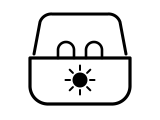
Charging is blocked because the temperature is abnormal.
Applies to: Earbud light inside the case (flashes red), and the case light on the front (flashes red at a rapid pace). What you see: red, flashing or blinking. What it reports on: the earbuds or the case or pairing, reset or an error.
What Samsung says to do
- If the lights do not behave as described, disconnect the charger from the case and connect it again.
Source:
- Samsung Singapore support: Galaxy Buds battery indicator, charging case light status — Galaxy Buds charging cases (the page names no single model). www.samsung.com Checked 2026-10-11.
Flashing red (slow)
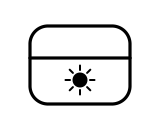
The case battery is low. Samsung also notes that the case light flashes red when external power is cut off during charging.
Applies to: Case light on the front. What you see: red, flashing or blinking. What it reports on: the case.
What Samsung says to do
- If the lights do not behave as described, disconnect the charger from the case and connect it again.
Source:
- Samsung Singapore support: Galaxy Buds battery indicator, charging case light status — Galaxy Buds charging cases (the page names no single model). www.samsung.com Checked 2026-10-11.
Red for 5 seconds after closing the lid
The case battery is low: below 30%.
Applies to: Case light on the front. What you see: red, on for a few seconds, then off. What it reports on: the case.
Samsung Singapore support gives no step for this light; the meaning above is all it says.
Source:
- Samsung Singapore support: Galaxy Buds battery indicator, charging case light status — Galaxy Buds charging cases (the page names no single model). www.samsung.com Checked 2026-10-11.
Yellow for 5 seconds after closing the lid
The case battery is moderate: between 30% and 60%.
Applies to: Case light on the front. What you see: yellow, on for a few seconds, then off. What it reports on: the case.
Samsung Singapore support gives no step for this light; the meaning above is all it says.
Source:
- Samsung Singapore support: Galaxy Buds battery indicator, charging case light status — Galaxy Buds charging cases (the page names no single model). www.samsung.com Checked 2026-10-11.
Green for 5 seconds after closing the lid
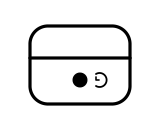
The case battery is high: more than 60%.
Applies to: Case light on the front. What you see: green, on for a few seconds, then off. What it reports on: the case.
Samsung Singapore support gives no step for this light; the meaning above is all it says.
Source:
- Samsung Singapore support: Galaxy Buds battery indicator, charging case light status — Galaxy Buds charging cases (the page names no single model). www.samsung.com Checked 2026-10-11.
Sources
Samsung’s own support pages only, read on the date shown. Nothing here comes from third-party “lights explained” sites.
- Samsung Singapore support: Galaxy Buds battery indicator, charging case light status — Galaxy Buds charging cases (the page names no single model). www.samsung.com Checked 2026-10-11.