Sage / Breville Bambino: what the lights mean
Compact portafilter espresso with a manual steam wand (Breville BES450; Sage SES450 in the UK)
The Bambino is the smaller sibling of the Bambino Plus: no automatic milk texturing and no milk lights, just four buttons — 1 Cup, 2 Cup, Steam and Hot Water — whose built-in lights do all the talking. They do not mean what the Plus’s lights mean: the Plus asks for a descale by flashing 1 CUP and STEAM, then 2 CUP, in turn for 15 seconds; the Bambino does it with the 2 Cup button flashing on its own, over and over. That one flashing 2 Cup button has three meanings — descale due, descale running, or a double shot you just selected — so what you did just before tells them apart. Every light below is quoted from Breville’s US instruction book (BES450) and Sage’s UK book (SES450) gives the same lights with the same meanings.
Every Sage / Breville Bambino light we could source, 8 in all, each with Sage / Breville’s meaning and steps. This is the Bambino’s pattern; another Sage / Breville machine may use the same light for something else — check the manual for your model.
2 Cup button flashing on its own, over and over
Descale needed
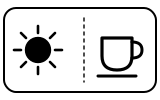
The machine is due a clean and descale. Pressing any button cancels the alert and returns it to ready mode, but Breville advises against ignoring it: scale reduces the brewing flow, the temperature and the taste.
“The 2 Cup button will continuously flash; indicating machine will need cleaning and descaling.”
- Which light
- Cup, drink or strength buttons
- Colour
- Colour not named by the maker
- Steady or flashing
- Flashing or blinking
What Sage / Breville says to do
- Empty the drip tray and push it back firmly.
- Fill the water tank to the DESCALE line and add the descaling agent.
- Put a 2 L (68 fl oz) container under the group head and steam wand.
- Press the 2 Cup and Steam buttons together for 5 seconds to start descaling.
- Do not remove or empty the water tank while it descales.
Source:
- Breville: the Bambino — Instruction Book: Functions (first use, water tank, shot volumes, steam wand purge), Care & Cleaning (clean & descale cycle, factory reset) and Troubleshooting — Bambino BES450, US, Canada and Mexico instruction book (English section). assets.breville.com Checked 2026-10-12.
- Sage: the Bambino — UK instruction book: Functions, Care & Cleaning and Troubleshooting (‘2-cup coffee button flashing’) — Bambino SES450, UK. assets.sageappliances.com Checked 2026-10-12.
2 Cup button flashing after you started the descale
Mode running
The clean and descale cycle is running; the flashing lasts the whole cycle. When the descale solution is used up the cycle pauses and waits for you to rinse.
“The 2-Cup button will flash throughout the cycle.”
- Which light
- Cup, drink or strength buttons
- Colour
- Colour not named by the maker
- Steady or flashing
- Flashing or blinking
What Sage / Breville says to do
- When it pauses, rinse and refill the water tank to MAX and empty the waste water container, then put both back.
- Press the 2 Cup button to run the rinse; the machine goes to ready mode when the rinse is complete.
- Empty the waste water container, rinse the drip tray and water tank and dry them before putting them back.
Source:
- Breville: the Bambino — Instruction Book: Functions (first use, water tank, shot volumes, steam wand purge), Care & Cleaning (clean & descale cycle, factory reset) and Troubleshooting — Bambino BES450, US, Canada and Mexico instruction book (English section). assets.breville.com Checked 2026-10-12.
- Sage: the Bambino — UK instruction book: Functions, Care & Cleaning and Troubleshooting (‘2-cup coffee button flashing’) — Bambino SES450, UK. assets.sageappliances.com Checked 2026-10-12.
All the lights flash 6 times in 3 seconds
Water
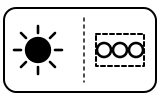
The machine cannot find water in the tank: it is empty, or the tank is not pushed fully down.
“Machine LED lights will flash 6 times for 3 seconds when no water is detected in the water tank.”
- Which light
- Several lights or symbols at once
- Colour
- Colour not named by the maker
- Steady or flashing
- Flashing or blinking
What Sage / Breville says to do
- Lift off the water tank, fill it with potable water to the MAX line and put it back, pressing down until it sits flush against the back of the machine.
Source:
- Breville: the Bambino — Instruction Book: Functions (first use, water tank, shot volumes, steam wand purge), Care & Cleaning (clean & descale cycle, factory reset) and Troubleshooting — Bambino BES450, US, Canada and Mexico instruction book (English section). assets.breville.com Checked 2026-10-12.
- Sage: the Bambino — UK instruction book: Functions, Care & Cleaning and Troubleshooting (‘2-cup coffee button flashing’) — Bambino SES450, UK. assets.sageappliances.com Checked 2026-10-12.
1 Cup and 2 Cup both flashing after you held them for 2 seconds
Setting confirmed
You are in shot-volume programming mode. If you press nothing for 30 seconds it returns to ready mode without changing anything.
“Press and hold the 1 Cup and 2 Cup buttons for 2 seconds, the buttons will illuminate and flash.”
- Which light
- Cup, drink or strength buttons
- Colour
- Colour not named by the maker
- Steady or flashing
- Flashing or blinking
What Sage / Breville says to do
- To set a new 1 Cup volume, press 1 Cup for about 3 seconds to start the shot and press it again to stop; that volume is saved. Do the same with 2 Cup for the double.
- Pressing Steam or Hot Water cancels programming without saving.
Source:
- Breville: the Bambino — Instruction Book: Functions (first use, water tank, shot volumes, steam wand purge), Care & Cleaning (clean & descale cycle, factory reset) and Troubleshooting — Bambino BES450, US, Canada and Mexico instruction book (English section). assets.breville.com Checked 2026-10-12.
- Sage: the Bambino — UK instruction book: Functions, Care & Cleaning and Troubleshooting (‘2-cup coffee button flashing’) — Bambino SES450, UK. assets.sageappliances.com Checked 2026-10-12.
1 Cup and 2 Cup both blinking while the steam wand pulses water
Mode running
The steam wand purge is running — started by holding the Steam button for 3 seconds — and short pulses of water run through the wand to help keep it from blocking. It is not a fault.
“Both 1 Cup and 2 Cup buttons will blink during the steam purge function.”
- Which light
- Cup, drink or strength buttons
- Colour
- Colour not named by the maker
- Steady or flashing
- Flashing or blinking
What Sage / Breville says to do
- Keep the steam wand pointed down at the drip tray, away from people, until the purge ends.
- If steam stays weak afterwards, unscrew the steam tip with the cleaning tool stored under the water tank and clear its holes, as the manual’s ‘Cleaning the steam wand’ section describes.
Source:
- Breville: the Bambino — Instruction Book: Functions (first use, water tank, shot volumes, steam wand purge), Care & Cleaning (clean & descale cycle, factory reset) and Troubleshooting — Bambino BES450, US, Canada and Mexico instruction book (English section). assets.breville.com Checked 2026-10-12.
- Sage: the Bambino — UK instruction book: Functions, Care & Cleaning and Troubleshooting (‘2-cup coffee button flashing’) — Bambino SES450, UK. assets.sageappliances.com Checked 2026-10-12.
1 Cup or 2 Cup button flashing after a short press
Normal operation
A preset shot is being made: about 30 ml for 1 Cup, about 60 ml for 2 Cup. The machine stops by itself at the preset volume.
“Press the 1 Cup button for less than 1 second, the button will flash indicating that it has been selected.”
- Which light
- Cup, drink or strength buttons
- Colour
- Colour not named by the maker
- Steady or flashing
- Flashing or blinking
What Sage / Breville says to do
- Wait for the shot to finish, or press the same button again to stop it early.
- If the 2 Cup button keeps flashing when you have not pressed it, the machine is asking for a descale instead (see above).
Source:
- Breville: the Bambino — Instruction Book: Functions (first use, water tank, shot volumes, steam wand purge), Care & Cleaning (clean & descale cycle, factory reset) and Troubleshooting — Bambino BES450, US, Canada and Mexico instruction book (English section). assets.breville.com Checked 2026-10-12.
- Sage: the Bambino — UK instruction book: Functions, Care & Cleaning and Troubleshooting (‘2-cup coffee button flashing’) — Bambino SES450, UK. assets.sageappliances.com Checked 2026-10-12.
The lights flash 3 times after holding 1 Cup and 2 Cup for 10 seconds
Setting confirmed
The factory reset worked: both shot volumes are back to the factory settings. Afterwards the machine returns to ready mode.
“The lights will flash 3 times to indicate that all volumes have been reset.”
- Which light
- Several lights or symbols at once
- Colour
- Colour not named by the maker
- Steady or flashing
- Flashing or blinking
What Sage / Breville says to do
- Nothing to do. To reset again, put the machine in standby and hold 1 Cup and 2 Cup for 10 seconds.
Source:
- Breville: the Bambino — Instruction Book: Functions (first use, water tank, shot volumes, steam wand purge), Care & Cleaning (clean & descale cycle, factory reset) and Troubleshooting — Bambino BES450, US, Canada and Mexico instruction book (English section). assets.breville.com Checked 2026-10-12.
- Sage: the Bambino — UK instruction book: Functions, Care & Cleaning and Troubleshooting (‘2-cup coffee button flashing’) — Bambino SES450, UK. assets.sageappliances.com Checked 2026-10-12.
Only the 1 Cup button lit, the first time you plug it in
Normal operation
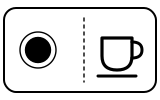
The machine has power and is waiting for its first-use cycle, which rinses it and primes the heating system.
“Plug the power cord in the power outlet, and the 1 Cup button illuminates.”
- Which light
- Cup, drink or strength buttons
- Colour
- Colour not named by the maker
- Steady or flashing
- Steady
What Sage / Breville says to do
- Fill the tank to MAX, check the drip tray is in place and put a 500 ml (17 fl oz) container under the portafilter and steam wand.
- Press the 1 Cup button to start the first-use cycle.
Source:
- Breville: the Bambino — Instruction Book: Functions (first use, water tank, shot volumes, steam wand purge), Care & Cleaning (clean & descale cycle, factory reset) and Troubleshooting — Bambino BES450, US, Canada and Mexico instruction book (English section). assets.breville.com Checked 2026-10-12.
- Sage: the Bambino — UK instruction book: Functions, Care & Cleaning and Troubleshooting (‘2-cup coffee button flashing’) — Bambino SES450, UK. assets.sageappliances.com Checked 2026-10-12.
Near relatives
Machines from the same maker whose lights are close to these, each on its own page from its own manual. A light that looks the same can still mean something else, so check each one.
When Sage / Breville says to get help
Call Breville Support (the US book’s wording; the UK book says Sage Support).
Sources
Every line on this page comes from Sage / Breville’s own documents, read on the date shown. Nothing is taken from third-party manual sites.
- Breville: the Bambino — Instruction Book: Functions (first use, water tank, shot volumes, steam wand purge), Care & Cleaning (clean & descale cycle, factory reset) and Troubleshooting — Bambino BES450, US, Canada and Mexico instruction book (English section). assets.breville.com Checked 2026-10-12.
- Sage: the Bambino — UK instruction book: Functions, Care & Cleaning and Troubleshooting (‘2-cup coffee button flashing’) — Bambino SES450, UK. assets.sageappliances.com Checked 2026-10-12.