Nespresso Vertuo Lattissima: what the lights mean
Vertuo line with a milk carafe
The Vertuo Lattissima is a Vertuo machine with a milk carafe that clips into a connector door on its side. Its panel has a Coffee button (also on/off), three milk buttons — Hot foam, Latte macchiato and Cappuccino — and two alerts marked Descale and Rinse. The descale alert has three stages, not one: blinking orange, fast blinking orange, then steady, when the machine blocks itself until it is descaled. The three milk buttons carry the other messages: blinking in turn means it is too hot, blinking together means the water tank is empty. Every pattern below is quoted from Nespresso’s Vertuo Lattissima manual.
Every Nespresso Vertuo Lattissima light we could source, 11 in all, each with Nespresso’s meaning and steps. This is the Vertuo Lattissima’s pattern; another Nespresso machine may use the same light for something else — check the manual for your model.
Coffee button blinking after you lock the lever
Heating up

The machine is heating up. When the light stops blinking and stays on, it is ready to brew.
“Light will blink while the machine is heating up. Steady light indicates the machine is ready.”
- Which light
- Main button or power light
- Colour
- Colour not named by the maker
- Steady or flashing
- Flashing or blinking
What Nespresso says to do
- Wait for a steady light, then press the button to brew.
Source:
- Nespresso: Vertuo Lattissima user manual: water hardness setting (pp. 8–9), milk preparation and daily rinsing (pp. 19–21), settings (pp. 25–29), Descaling (pp. 35–37) and Troubleshooting (pp. 38–40) — Vertuo Lattissima (English manual, 220–240 V and 120 V). www.nespresso.com Checked 2026-10-12.
Descale alert blinking orange
Descale needed

Stage one of three: time to descale. The machine still works. Nespresso times the alert from how many drinks you make, and descaling takes about 20 minutes.
“Your machine must be descaled.”
- Which light
- Descale light or symbol
- Colour
- Orange
- Steady or flashing
- Flashing or blinking
What Nespresso says to do
- Open the machine and let the capsule be ejected, then close the head and turn the lever to lock.
- Empty the drip tray, used capsule container and cup support; fill the water tank with two units of Nespresso descaling agent and water up to the ‘descale’ mark (about 1 litre).
- Plug the descaling pipe from the back of the machine into the milk carafe connector; the machine enters descaling mode by itself and the descale alert blinks orange throughout.
- Put a container of at least 1 litre under the coffee outlet and descaling pipe and press the Cappuccino button. When the tank runs empty and the Latte macchiato button lights, rinse and refill the tank to ‘Max’ and press the Latte macchiato button to rinse.
Source:
- Nespresso: Vertuo Lattissima user manual: water hardness setting (pp. 8–9), milk preparation and daily rinsing (pp. 19–21), settings (pp. 25–29), Descaling (pp. 35–37) and Troubleshooting (pp. 38–40) — Vertuo Lattissima (English manual, 220–240 V and 120 V). www.nespresso.com Checked 2026-10-12.
Descale alert blinking orange fast
Descale needed
Stage two of three: only a few more drinks before the machine blocks itself. Descale now, not later.
“Only few recipes before getting your machine blocked. Proceed immediately to descaling.”
- Which light
- Descale light or symbol
- Colour
- Orange
- Steady or flashing
- Flashing or blinking
What Nespresso says to do
- Descale straight away; the steps are the same as for the slow orange blink above.
Source:
- Nespresso: Vertuo Lattissima user manual: water hardness setting (pp. 8–9), milk preparation and daily rinsing (pp. 19–21), settings (pp. 25–29), Descaling (pp. 35–37) and Troubleshooting (pp. 38–40) — Vertuo Lattissima (English manual, 220–240 V and 120 V). www.nespresso.com Checked 2026-10-12.
Descale alert lit steadily, machine will not brew
Descale needed
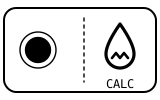
Stage three: the machine has blocked itself to prevent damage. It will not make drinks again until it has been descaled.
“Your machine is blocked to prevent any damages. Descale now.”
- Which light
- Descale light or symbol
- Colour
- Orange
- Steady or flashing
- Steady
What Nespresso says to do
- Run the full descaling cycle (about 20 minutes); the steps are the same as for the slow orange blink above.
- The troubleshooting table gives one answer for a descale alert that blinks or is fixed orange: descale the machine.
Source:
- Nespresso: Vertuo Lattissima user manual: water hardness setting (pp. 8–9), milk preparation and daily rinsing (pp. 19–21), settings (pp. 25–29), Descaling (pp. 35–37) and Troubleshooting (pp. 38–40) — Vertuo Lattissima (English manual, 220–240 V and 120 V). www.nespresso.com Checked 2026-10-12.
Rinse alert blinking orange
Cleaning due

The milk carafe needs its rinsing cycle. Nespresso recommends one after every milk or plant-based drink.
“Rinse alert blinks orange.”
- Which light
- Cleaning symbol
- Colour
- Orange
- Steady or flashing
- Flashing or blinking
What Nespresso says to do
- Put a container of at least 200 ml under the milk spout and turn the knob to the rinse position; hot water and steam flow through the spout and stop by themselves.
- When the rinse alert turns off, turn the knob back to the milk position.
- Rinsing does not remove allergens: take the carafe apart and wash it (preferably in the dishwasher) before changing milks.
Source:
- Nespresso: Vertuo Lattissima user manual: water hardness setting (pp. 8–9), milk preparation and daily rinsing (pp. 19–21), settings (pp. 25–29), Descaling (pp. 35–37) and Troubleshooting (pp. 38–40) — Vertuo Lattissima (English manual, 220–240 V and 120 V). www.nespresso.com Checked 2026-10-12.
Hot foam, Latte macchiato and Cappuccino buttons blinking in turn
Too hot, cooling

The machine has overheated. The same three buttons blinking all at once mean something else — an empty water tank.
“When Hot foam, Latte macchiato and Cappuccino buttons are blinking alternatively.”
- Which light
- Milk temperature and froth lights
- Colour
- Colour not named by the maker
- Steady or flashing
- Lights taking turns
What Nespresso says to do
- Wait until the machine cools down.
Source:
- Nespresso: Vertuo Lattissima user manual: water hardness setting (pp. 8–9), milk preparation and daily rinsing (pp. 19–21), settings (pp. 25–29), Descaling (pp. 35–37) and Troubleshooting (pp. 38–40) — Vertuo Lattissima (English manual, 220–240 V and 120 V). www.nespresso.com Checked 2026-10-12.
Hot foam, Latte macchiato and Cappuccino buttons blinking together
Water

The water tank is empty.
“When Hot foam, Latte macchiato and Cappuccino buttons are blinking together.”
- Which light
- Milk temperature and froth lights
- Colour
- Colour not named by the maker
- Steady or flashing
- Flashing or blinking
What Nespresso says to do
- Fill the tank.
Source:
- Nespresso: Vertuo Lattissima user manual: water hardness setting (pp. 8–9), milk preparation and daily rinsing (pp. 19–21), settings (pp. 25–29), Descaling (pp. 35–37) and Troubleshooting (pp. 38–40) — Vertuo Lattissima (English manual, 220–240 V and 120 V). www.nespresso.com Checked 2026-10-12.
Lights blinking irregularly, machine not running
Fault or blockage
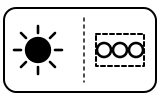
The machine has stopped and is asking you to check the capsule, the handle and the water. Nespresso lists the same irregular blinking for a machine that will not start, where the fix is water and the handle.
“Lights blink irregularly. Machine is not running.”
- Which light
- Several lights or symbols at once
- Colour
- Colour not named by the maker
- Steady or flashing
- Flashing or blinking
What Nespresso says to do
- Fill the water tank, check that the handle is properly locked, and push the button to start.
- If you were brewing: unlock the handle and open the head to check that a fresh, undamaged capsule is in the correct position, then check that the handle is in the ‘LOCKED’ position.
- If you were descaling, emptying or cleaning: check that the capsule has been ejected and the handle is locked.
- If it persists: open the head, replace the capsule if needed, unplug the machine for 10 seconds, plug it back in, close the head and press the button to turn it on, then again to brew.
- If the problem persists, call Nespresso.
If that does not fix it: how to contact Nespresso.
Source:
- Nespresso: Vertuo Lattissima user manual: water hardness setting (pp. 8–9), milk preparation and daily rinsing (pp. 19–21), settings (pp. 25–29), Descaling (pp. 35–37) and Troubleshooting (pp. 38–40) — Vertuo Lattissima (English manual, 220–240 V and 120 V). www.nespresso.com Checked 2026-10-12.
Lights blinking while the machine is running
Mode running
Normal while coffee or milk is flowing. If only water is flowing, the machine is running a cleaning, a descaling or an emptying you started.
“Lights blink while machine is running.”
- Which light
- Main button or power light
- Colour
- Colour not named by the maker
- Steady or flashing
- Flashing or blinking
What Nespresso says to do
- If coffee or milk is flowing normally, nothing is wrong.
- If only water is flowing and you did not mean to clean, descale or empty it, see the matching section of the manual.
Source:
- Nespresso: Vertuo Lattissima user manual: water hardness setting (pp. 8–9), milk preparation and daily rinsing (pp. 19–21), settings (pp. 25–29), Descaling (pp. 35–37) and Troubleshooting (pp. 38–40) — Vertuo Lattissima (English manual, 220–240 V and 120 V). www.nespresso.com Checked 2026-10-12.
Rinse and Descale alerts blinking together
Mode running
Menu mode, entered by holding the Hot foam button for 3 seconds. It is where you set the water hardness, empty the system or reset to factory settings. It is not a fault.
“Clean and descale alerts blink together.”
- Which light
- Several lights or symbols at once
- Colour
- Colour not named by the maker
- Steady or flashing
- Flashing or blinking
What Nespresso says to do
- To set the water hardness, press the Cappuccino button to step through the five settings; if you choose nothing within 15 seconds, the menu exits by itself.
- If you cannot get into menu mode: remove the milk carafe and the descaling pipe from the connector door first.
Source:
- Nespresso: Vertuo Lattissima user manual: water hardness setting (pp. 8–9), milk preparation and daily rinsing (pp. 19–21), settings (pp. 25–29), Descaling (pp. 35–37) and Troubleshooting (pp. 38–40) — Vertuo Lattissima (English manual, 220–240 V and 120 V). www.nespresso.com Checked 2026-10-12.
Buttons blink 3 times quickly
Setting confirmed
The setting you just chose in menu mode, such as the water hardness, has been saved.
“The buttons blink three times rapidly to confirm new setting.”
- Which light
- Several lights or symbols at once
- Colour
- Colour not named by the maker
- Steady or flashing
- Flashing or blinking
What Nespresso says to do
- Nothing to do; the machine has stored the new setting.
Source:
- Nespresso: Vertuo Lattissima user manual: water hardness setting (pp. 8–9), milk preparation and daily rinsing (pp. 19–21), settings (pp. 25–29), Descaling (pp. 35–37) and Troubleshooting (pp. 38–40) — Vertuo Lattissima (English manual, 220–240 V and 120 V). www.nespresso.com Checked 2026-10-12.
Near relatives
Machines from the same maker whose lights are close to these, each on its own page from its own manual. A light that looks the same can still mean something else, so check each one.
When Nespresso says to get help
Call Nespresso (the manual’s wording: ‘If problem persists, call Nespresso’).
Sources
Every line on this page comes from Nespresso’s own documents, read on the date shown. Nothing is taken from third-party manual sites.
- Nespresso: Vertuo Lattissima user manual: water hardness setting (pp. 8–9), milk preparation and daily rinsing (pp. 19–21), settings (pp. 25–29), Descaling (pp. 35–37) and Troubleshooting (pp. 38–40) — Vertuo Lattissima (English manual, 220–240 V and 120 V). www.nespresso.com Checked 2026-10-12.